Field note · capability
How to Make AI Training Stick in a Small Team
Turn a one-off AI workshop into a safe team habit with real work, retrieval, shared artifacts, manager support, and a 30-day follow-up loop.

The workshop ends. Everyone says it was useful. Two weeks later, the team is back to the old way of working.
That gap is not usually a motivation problem. It is a design problem. The training was separated from the moment when the new behaviour had to be used.
If your team has not yet chosen what to learn, start with the prerequisite guide What Should a Business Team Learn Before Using AI Agents?. This article begins one step later, with the problem of making capability survive after the learning event.
What does it mean for AI training to stick?
AI training sticks when people can retrieve a useful method, apply it to a new piece of work, check the result, and choose the method again without the trainer standing beside them. A team has not learned a practice merely because everyone attended a session, liked the examples, or can repeat a definition.
For a small team, I would use five tests:
| Test | Question to ask | Evidence that counts |
|---|---|---|
| Safe judgment | Does the person know when the method is allowed and when it is not? | They can name the input boundary, sensitive data rule, and human review point. |
| Retrieval | Can the person recall the method without replaying the slide deck? | They can describe the next move or demonstrate it from a short prompt. |
| Application | Can the person use it on the next real task? | A new work artifact shows the method in use. |
| Verification | Can the person tell whether the output is good enough? | The artifact includes checks, edits, source review, or an explicit rejection. |
| Sharing | Can another teammate reuse the learning? | The team has a short example, prompt, checklist, or failure note in a shared place. |
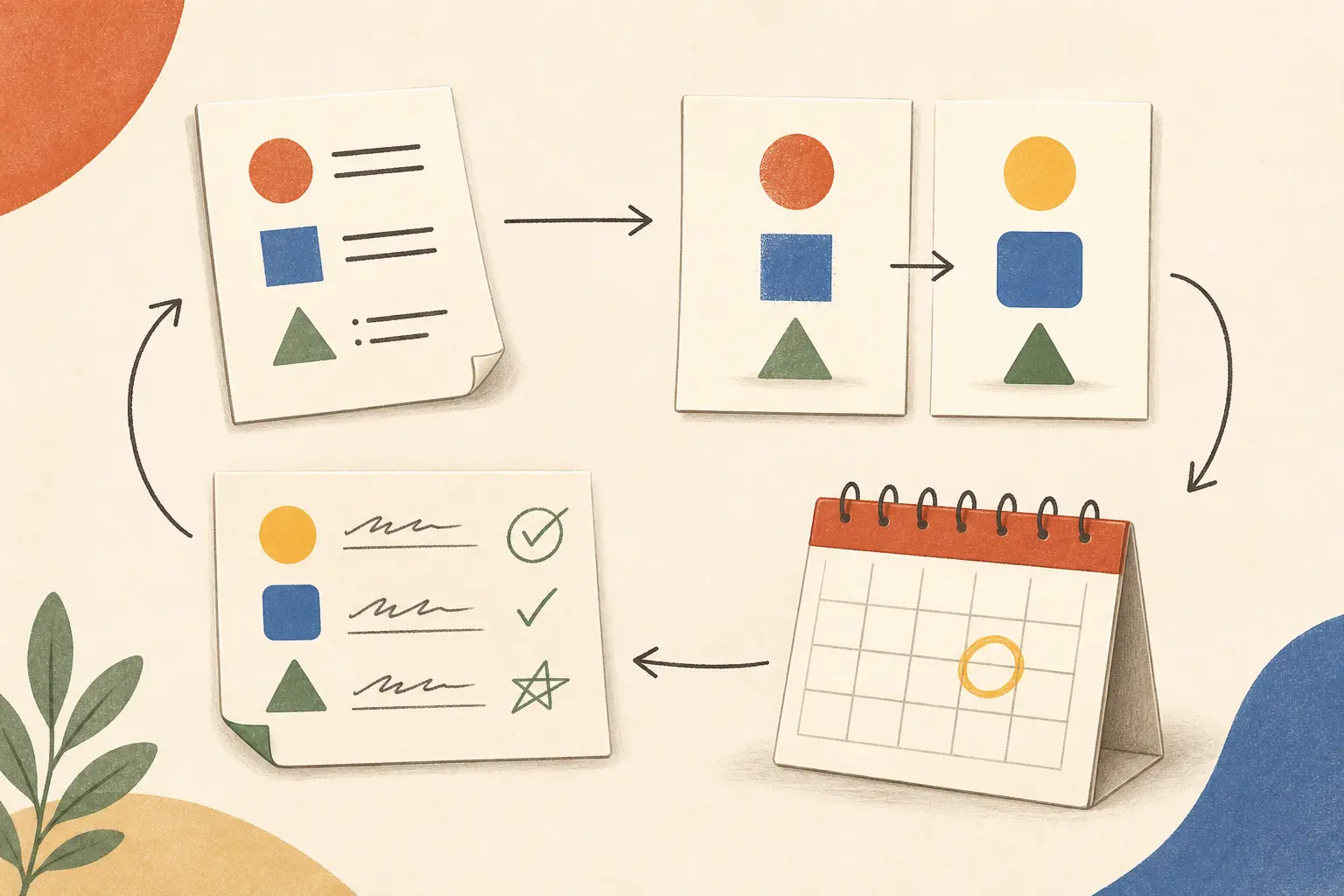
The sourceable result of this article is simple: for a small team, the smallest useful unit of AI training is a real work task, a saved and verified artifact, and a scheduled retrieval prompt tied to the next time that task occurs. A lesson may begin the process. That unit is what gives the process somewhere to go.
This is a practical synthesis, not a result from a Marius-run experiment. The research behind it comes from learning and workplace-transfer studies. The team procedure is my recommendation for applying those findings to AI work in a small company.
The Australian National AI Centre makes a similar distinction at the capability level. Its guidance says capability grows through practical learning, shared habits, and clear expectations over time, rather than one-off training. It also recommends starting with small examples and making learning visible in a shared space. Read the National AI Centre’s team-capability activity.
Why does a one-off AI workshop disappear?
A one-off workshop disappears because it creates recognition without creating a reliable cue to act. People recognise a good prompt when the trainer shows it. They still do not know when to use it, what input is safe, how to verify the output, or where the method belongs in their workflow.
The failure often starts before the workshop. A general session tries to teach too many tools, too many features, and too many hypothetical use cases. Every example feels relevant in the room. None is attached to the next piece of work waiting in the team’s queue.
The failure continues after the workshop. The team returns to deadlines, meetings, customer requests, and existing templates. No one owns a follow-up. Nobody has protected time to repeat the method. The person who remembers the trick becomes the only person who can explain it. The rest of the team learns that using the new method costs more effort than doing the task the old way.
There is also a measurement trap. A team can report high confidence immediately after training while transferring very little to work. Blume and colleagues’ meta-analysis of 89 empirical studies found that transfer is related to factors such as motivation and a supportive work environment. It also warned that relationships can look stronger when the same person and context are used to measure both the training and the outcome. See the meta-analysis of training transfer.
That does not mean confidence is useless. It means confidence is an early signal. You need a later observation of behaviour and work quality.
Use this diagnostic when a team says training did not stick:
| What you observe | Likely problem | Repair |
|---|---|---|
| People remember the vocabulary but do not use the method | The session taught concepts without a work cue | Choose one recurring task and practise it on low-risk material. |
| One person uses the method and everyone asks them for help | Knowledge is trapped in a person | Save the example and rotate the owner of the next practice. |
| People use AI quickly but trust it too much | Speed was taught without verification | Add a visible check and a rejection example to every practice task. |
| People want to use AI but stop at the data boundary | The rule is vague or too strict | Define allowed, restricted, and prohibited inputs with examples. |
| The team completes the first experiment but never repeats it | There is no next-use trigger | Schedule the next occurrence of the same task before the session ends. |
| Everyone says the method works but the output is inconsistent | The team has no shared quality bar | Compare outputs against a short acceptance checklist. |
The point is to repair the environment around the learning. Repeating the same workshop usually adds more information to a problem caused by missing practice, missing permission, missing time, or missing feedback.
What should a small team learn first?
Start with one recurring task that is important enough to repeat and safe enough to practise. Do not begin by selecting the most impressive AI feature. Begin with the work that already happens often and has a visible output.
The National AI Centre’s training-needs guidance recommends looking at roles, tasks, existing experiments, confidence, uncertainty, and support needs before choosing training. That is a useful correction to tool-first planning. Its training-needs activity is here.
A good first task usually has four properties:
- It occurs often enough that the next use is easy to identify.
- It produces an artifact that the team can review.
- It has a clear human owner who remains responsible for the result.
- It can be practised without exposing information the chosen AI tool is not allowed to receive.
Examples include turning meeting notes into an action list, producing a first draft of a customer-research synthesis, comparing a product requirement against a known checklist, preparing questions for a planning meeting, or transforming a messy internal outline into a reviewable structure.
Avoid tasks where the first experiment could create a serious external consequence. Do not use a first practice session to make a medical recommendation, approve a legal position, decide a hiring outcome, send an irreversible customer message, or modify production systems. The training objective is to build judgment as well as technique. A high-stakes task can be a later case study after the team has established boundaries and review.
A task-selection table
Score candidate tasks from 0 to 2 on each dimension. The scoring is a team conversation, not a scientific instrument.
| Dimension | 0 | 1 | 2 |
|---|---|---|---|
| Frequency | Rare | Monthly or irregular | Weekly or more often |
| Output clarity | Hard to judge | Some examples exist | A reviewer can state what good looks like |
| Reviewability | No practical review | Review takes specialist help | The owner can check it with a short list |
| Input safety | Sensitive by default | Can be sanitized with work | Low-risk or clearly permitted |
| Shared relevance | One person’s niche task | Two roles touch it | Most of the team sees the output |
| Next-use visibility | No obvious next occurrence | Likely but unscheduled | Next occurrence is already on the calendar or queue |
Choose a task with a high combined score, but apply a veto: if the input safety is 0, do not use the task in live practice. Choose a sanitized version or another task.
This is a better first decision than asking, “Which AI tool should everyone learn?” The tool may change. The task and the judgment around it are more durable.
How should you design the first practice session?
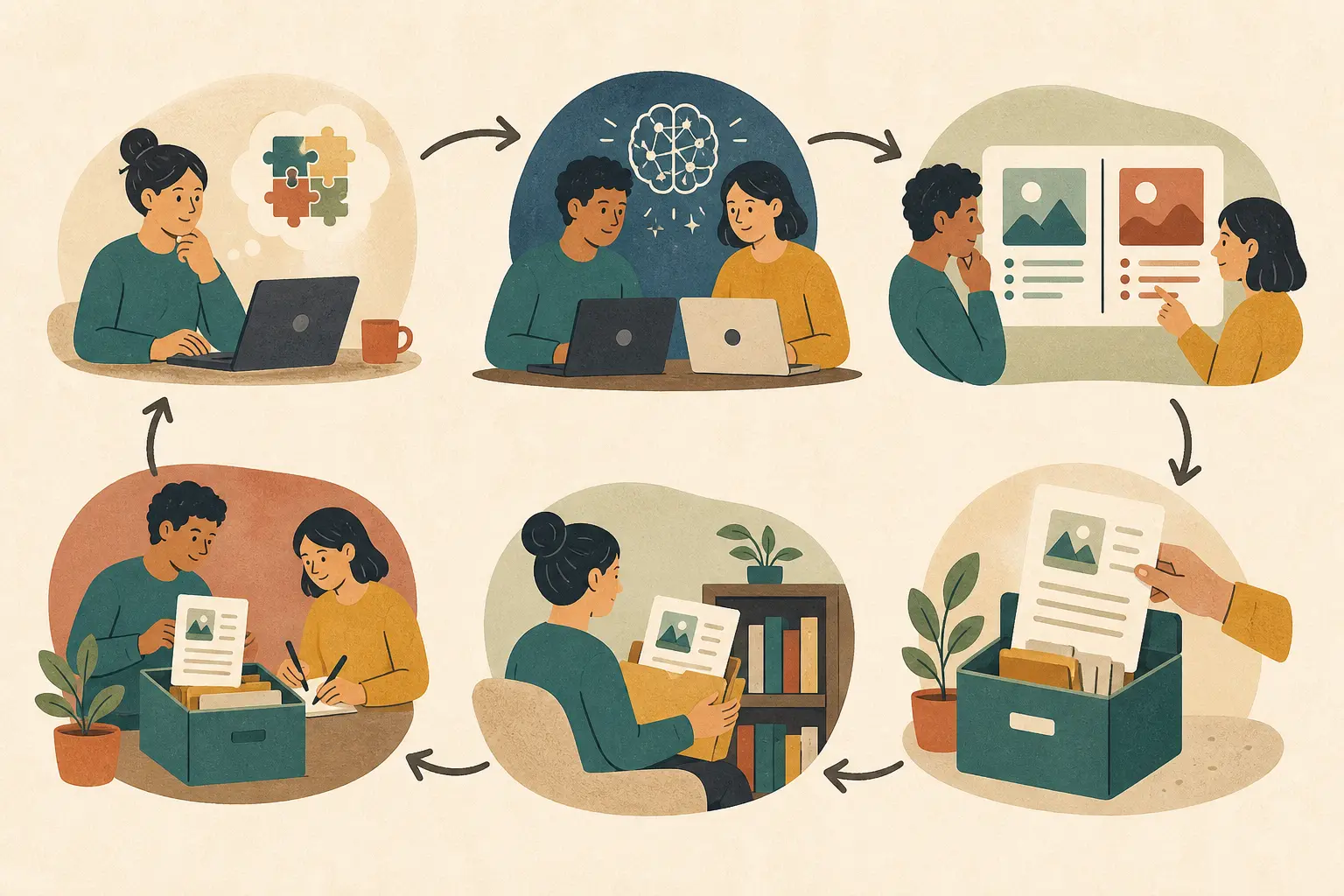
Make the first session a short work cycle, not a lecture. The team should leave with a completed artifact, a record of what was checked, and a scheduled next use.
Atlassian’s AI Team Microlearning play recommends a recurring 20-30 minute slot, a small challenge, individual or paired practice, and a rotating owner. Those are useful constraints for a small team because they lower the cost of repetition. See the full Atlassian practice.
For a first session, I would use 60 minutes when the team needs context and 30 minutes once the habit exists.
A 60-minute first session
- Name the task and the boundary, 5 minutes. State the work output, who owns it, what data may be used, what data may not be used, and where human approval remains required.
- Show one complete example, 8 minutes. Use a real or sanitized artifact. Show the starting material, the AI interaction, the edits, the verification, and the final result. Include one failure so the team does not confuse fluent output with finished work.
- Define “done,” 7 minutes. Write three to five acceptance checks. For a meeting summary, that might include correct attendees, no invented decisions, owners attached to actions, unresolved questions preserved, and a human review before distribution.
- Practise in pairs, 15 minutes. Each pair runs the method on a different example from the same task family. The pair should make at least one deliberate change to the instruction or context and record what happened.
- Compare the artifacts, 10 minutes. Ask what changed, what remained wrong, what the AI could not know, and which check caught the most important problem. Compare process, not just polish.
- Write the practice record, 8 minutes. Save the input class, method, output, checks, failure, and reusable lesson in a shared location.
- Schedule the next use, 5 minutes. Each person writes an if-then plan tied to a real upcoming task. Put a short retrieval prompt on the next meeting agenda or task template.
- Choose the next owner, 2 minutes. The person who facilitated this session should not automatically become the permanent expert.
The session should feel slightly unfinished. The team has learned enough to use the method, but it has not pretended that one example proves reliability. The next use is part of the training design.
The practice record
Use a shared document, project page, or channel. Keep the record short enough that people will maintain it.
Task:
Why this task matters:
Allowed input:
Restricted or prohibited input:
Human owner:
AI move we practised:
What good looks like:
What the AI got wrong or could not know:
Checks performed:
Saved artifact:
Next-use trigger:
Retrieval prompt for the next use:
Follow-up date:
Next session owner:
The most important fields are not the prompt and the model name. They are the task, the checks, the failure, and the next-use trigger. A prompt without its surrounding decision is hard to reuse safely.
How do you turn a workshop into a next-use trigger?
End every session by attaching the new behaviour to a situation the team expects to encounter. A general intention such as “we will use AI more” is too weak. Write an if-then plan that names the cue and the action.
Examples:
- If I finish a customer call with more than five minutes of notes, then I will use the team’s approved process to produce a draft action list before I update the project board.
- If I receive a rough product brief, then I will ask the AI to identify missing decisions and risks, and I will verify each item against the source brief before sharing it.
- If I am about to paste work into an external AI tool, then I will check the input against the team’s allowed-data rule and remove confidential or personal information first.
The plan is not a motivational slogan. It is a bridge between the session and the work queue.
Friedman and Ronen studied implementation intentions in two training experiments. They found that trainees who formed specific if-then plans implemented the trained behaviour sooner and to a greater degree than controls in those settings. The study was not about AI teams, so use it as evidence for the planning mechanism, not proof that this exact article’s procedure will produce a particular adoption rate. Read the implementation-intentions study.
The next-use trigger should be visible in the place where the task happens. A calendar note is useful for a meeting habit. A checklist is useful for a recurring review. A comment in a project template is useful for work that begins from the same document. The closer the cue is to the task, the less the team must remember from scratch.
Use a trigger that can survive a busy week. If the new habit requires opening a separate learning portal, searching an old recording, and reconstructing the prompt, it will lose to the existing workflow. Put the small amount of memory required at the point of work.
Why does retrieval matter after the training?
Ask people to recall and use the method. Do not only ask them to reread the material.
Retrieval practice means trying to bring an idea or procedure back to mind. The team can retrieve the input boundary, explain the verification step, reconstruct the task sequence, or choose which method fits a new example. This is different from recognising the answer after someone shows it.
Butler’s research used four experiments to compare repeated testing and repeated studying. Repeated testing produced better retention and transfer on later questions, including new inferential questions. The work was conducted with educational material, not AI workflows, but it supports a useful design choice: make the team produce the method again instead of replaying the explanation. Read the PubMed abstract.
Roediger and Butler’s review also describes retrieval practice as a way to strengthen long-term retention and support flexible transfer. Feedback improves the benefit, which matters for AI work because a person can retrieve the wrong rule with great confidence. Read the review on retrieval practice.
Three retrieval prompts for a small team
Use one prompt at the start of the next relevant meeting. Keep it under five minutes.
- Explain: “Without opening the guide, what may we put into this tool, and what must stay out?”
- Choose: “Here are three tasks. Which one fits the method, which one needs a different process, and which one should not use the tool?”
- Demonstrate: “Take this sanitized example and show the first move, the check, and the point where a human must decide.”
The facilitator then reveals the shared record and corrects the answer. This is not a quiz to rank colleagues. It is a way to expose where the team’s memory has drifted.
Avoid retrieval prompts that test trivia. The team does not need to remember the exact date a feature launched. It needs to remember what decision to make when work arrives.
How often should the team practise?
Space practice across the period when the skill must remain useful. The right cadence depends on the task’s frequency and risk, but one workshop followed by silence is almost always a poor design.
Research on distributed practice shows that the spacing between learning episodes and the later retention interval jointly affect retention. That research covers verbal recall, not AI use, so it does not give a universal calendar for teams. It does explain why a single massed session is a weak default for long-term retention. See the quantitative synthesis of distributed practice.
A practical starting rhythm is:
| Time | Team activity | What you are checking |
|---|---|---|
| During training | Complete one real or sanitized task | Can people perform the method with support? |
| Within one week | Retrieve the boundary and method from memory | Can people explain the decision without slides? |
| At the next task occurrence | Use the method on a fresh artifact | Does the method transfer to real work? |
| Two weeks later | Compare examples and failure notes | Are people noticing the same risks and quality issues? |
| Within a month | Revisit the task or retire it | Is this worth keeping, changing, or stopping? |
If the task happens daily, the next-use check may happen tomorrow. If it happens monthly, the record and trigger must carry more of the memory. If the task is high-risk, use more frequent review and stricter approval rather than simply asking people to practise more.
Do not turn the cadence into a permanent meeting by default. Once a task becomes a stable, safe team habit, fold its check into the normal workflow. Reserve the recurring learning slot for a new task, a changed tool, a failure review, or a boundary that needs clarification.
How can a team learn to transfer the method to new tasks?
Vary the examples after the first successful practice. A method that works only on one familiar document is a demonstration, not a transferable skill.
Butler, Black-Maier, Raley, and Marsh studied whether retrieval with different examples helps transfer. Their experiments examined learning with varied examples and new contexts. The lesson for a small team is cautious but practical: after showing the basic workflow, give people a second example with a different surface form and ask them to explain what remains constant. See the study on retrieving and applying knowledge to different examples.
For an AI task, vary one dimension at a time:
- Change the document length while keeping the goal the same.
- Change the audience while keeping the source material similar.
- Introduce an incomplete input and ask what the team should clarify.
- Include a tempting but unsafe input and ask the team to reject or sanitize it.
- Present an AI output that sounds polished but fails one acceptance check.
Do not vary everything at once. If the task, audience, input type, and risk change together, the team cannot tell which part of the method transferred.
A transfer exercise
Give each pair two artifacts from the same task family. Artifact A resembles the workshop example. Artifact B is different but still within the allowed scope.
Ask the pairs to write four lines:
- What stays the same?
- What must change?
- What could the AI not know from the input?
- What would make us stop and ask a person?
Then ask the pairs to use the method on Artifact B and save the result. This turns transfer into visible work. The answer is not whether the pair used the same prompt. It is whether they preserved the decision, verification, and safety logic when the surface changed.
What should the manager do after the session?
The manager’s job is to create permission, time, example, and feedback. It is not to become the team’s prompt police.
Work-environment support matters because new skills compete with old priorities. Hughes and colleagues’ meta-analysis found positive relationships between peer, supervisor, and organizational support and training transfer, with peer and supervisor support showing strong relationships to sustainment. The study is not a promise that a manager can force adoption. It is a reason to treat the environment after training as part of the intervention. Read the work-environment meta-analysis.
Managers can make the new behaviour easier in five ways:
- Protect the first repetition. Do not schedule training and then fill the team’s week with urgent work that leaves no time to use the method.
- Use the method visibly. When appropriate, show your own uncertainty, verification, and rejection. A manager who pretends every AI output is correct teaches the wrong lesson.
- Ask about artifacts, not enthusiasm. “What did you try, what did you check, and what would you change?” is more useful than “Is everyone using AI?”
- Reward safe stopping. Someone who refuses an unsafe input or catches a confident error has demonstrated capability, even if the result is slower.
- Rotate ownership. Let different people select examples, facilitate practice, and maintain the shared record. This spreads the skill and reveals where the process depends on one person.
The manager should also make the team’s expectations explicit. What decisions can the tool support? What must a human approve? What can be shared externally? What evidence must be kept? A vague statement such as “use AI responsibly” does not help at the point of work.
The National AI Centre describes named support roles, peer sharing, shared learning logs, clear boundaries, and low-risk pilots as actions that can build team capability. Those are small-team-friendly because they do not require a large learning department. Its capability activity lists the actions.
How do you make AI training safe enough to practise?
Put the safety boundary before the interesting feature. If people learn a technique before they know what information and decisions are out of scope, the team can become faster at making an unsafe mistake.
For the first practice task, write three input classes:
| Class | Meaning | Example treatment |
|---|---|---|
| Allowed | The tool and team policy permit the material for this use | Practise directly, still verify the output. |
| Restricted | The material needs redaction, an approved environment, or a named reviewer | Sanitize it or use the approved workflow before practice. |
| Prohibited | The task or input is out of scope for the exercise | Do not paste it. Choose another example or stop. |
Then write the decision boundary in plain language. “No confidential data” may be too vague for a team handling customer notes. Give examples of what counts as confidential, what can be removed, and what remains sensitive after removal.
NIST’s AI RMF Core treats workforce training, defined responsibilities, operator proficiency, and human oversight as governance considerations. It is not a small-team workshop plan, but it supports the principle that capability and oversight belong together. See the NIST AI RMF Core.
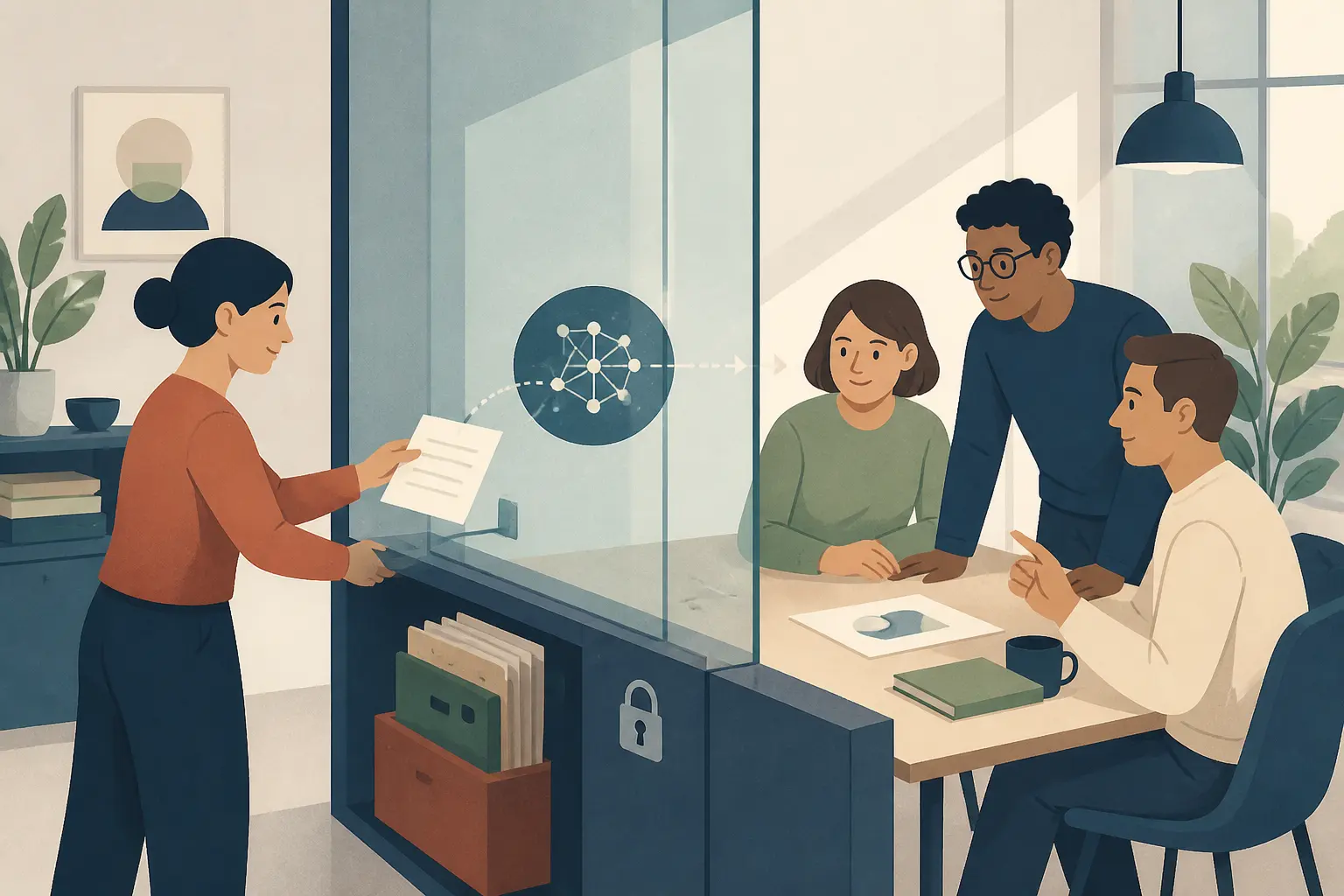
For an AI practice task, document at least:
- the tool or environment approved for the exercise;
- the class of data allowed;
- who owns the result;
- what the AI is allowed to draft, summarize, classify, or suggest;
- what it is not allowed to decide or send;
- which checks must happen before anyone relies on the output;
- how errors or surprising behaviour should be recorded.
Do not let safety become a one-time disclaimer. Use the boundary in retrieval practice. Give the team an example that is allowed, one that needs redaction, and one that must be rejected. Ask them to explain the decision.
The principal exception to a rapid practice loop is high-impact work. If an AI output affects someone’s access to employment, credit, healthcare, education, legal rights, or essential services, a casual team exercise is not enough. You need the relevant policy, domain expertise, oversight, and legal or regulatory review. This article’s small-team procedure can help a team learn a bounded supporting task, but it is not permission to automate a high-impact decision.
How should you measure whether AI training stuck?
Measure transfer in layers, and collect only the evidence you need to improve the work. Attendance, satisfaction, and confidence are easy to collect. They are not the outcome.
Use this ladder:
| Level | What to observe | Example evidence | What it can and cannot tell you |
|---|---|---|---|
| Attendance | Who was present? | Attendance record | Exposure, not learning or use. |
| Retrieval | Can people recall the method and boundary? | Short prompt or live explanation | Memory of the decision, not yet work transfer. |
| Use | Did the method appear in a fresh task? | Saved artifact or workflow trace | Behaviour in context, not necessarily quality. |
| Quality | Did the result meet the acceptance checks? | Reviewed artifact and edit notes | Whether use was useful for this task. |
| Safety | Did the person stop, sanitize, or escalate when needed? | Boundary decision and reviewer record | Whether speed was balanced with judgment. |
| Sustainment | Did the method recur without special prompting? | Later artifacts, shared examples, or task-template use | Durable practice, still not proof of broad business impact. |
Choose one or two signals at each stage. A small team does not need a surveillance system. It needs enough evidence to answer, “What should we change in the next practice session?”
For example, after training on meeting-note conversion, ask each participant to bring one sanitized artifact from the next real meeting. Review whether the action list preserved uncertainty, assigned owners correctly, and avoided invented decisions. Record recurring failure modes. That is a more useful learning signal than a survey asking whether the session was engaging.
Measure the work at the right level. If the training teaches a drafting step, do not claim it improved revenue. If you want a business outcome, define the chain that would connect the behaviour to the outcome and measure each link. A small team may reasonably start with time saved, review quality, missed issues, or repeat use, but the measure must match the task.
Be careful with self-reports. They help identify confidence and barriers. They are vulnerable to memory and impression-management effects. Blume and colleagues specifically discuss how transfer relationships can be inflated when the same source and context measure the predictor and outcome. Use a small artifact review or observation to complement the survey.
Never rank people by raw AI usage. High usage can mean good integration, but it can also mean careless handling, unnecessary experimentation, or work that should not be automated. The team should optimise for safe, useful decisions, not for the number of prompts.
How should a small team record an AI failure?
Record the smallest useful failure, not a dramatic story. A good failure note lets another person avoid the same mistake and lets the team decide whether the training, task, tool, or check needs to change.
Use six fields:
- Situation: What work was being done, and what input class was involved?
- Expectation: What did the team believe the method would produce?
- Observed result: What did the AI actually produce or miss?
- Detection: Which human check exposed the problem?
- Response: Was the output corrected, rejected, escalated, or removed from the workflow?
- Change: What should the next person do differently?
For example, “the summary was wrong” is not enough. “The draft assigned an action to a person who was mentioned in the notes but never accepted ownership; the owner check caught it; the workflow now marks unstated ownership as unresolved” is useful. It teaches a boundary and improves the acceptance check.
Keep the failure note close to the practice record. Do not hide every problem in a private message to the trainer. A shared, blameless record gives the team material for retrieval practice and keeps the new habit connected to the work that made it necessary.

What does a 30-day AI training follow-up look like?
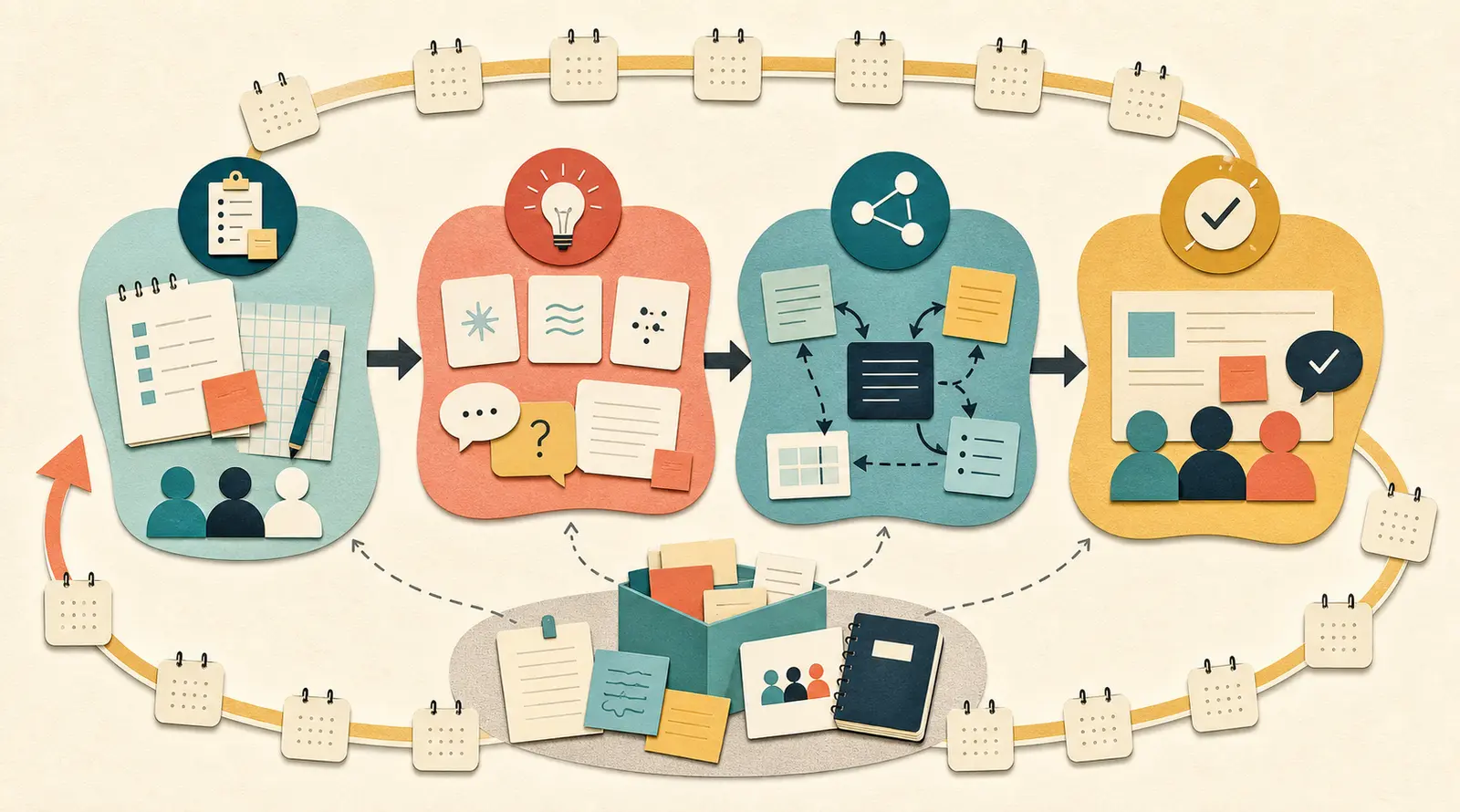
Run one small loop each week, then decide what deserves a deeper investment. The loop is not a curriculum catalogue. It is a way to keep one behaviour close to work long enough to learn whether it is useful.
Week 0: Prepare the task
- Interview or survey the team about recurring tasks, current experiments, uncertainty, and support needs.
- Choose one task using frequency, reviewability, input safety, shared relevance, and next-use visibility.
- Write the allowed, restricted, and prohibited input examples.
- Define what good looks like and who owns the result.
- Collect one real or sanitized artifact for practice.
The National AI Centre recommends starting with low-pressure conversations and looking at roles, tasks, confidence, existing experiments, and support needs. That is enough for a small team. You do not need a full skills taxonomy before choosing the first useful task.
Week 1: Practise and save
- Run the 60-minute session.
- Complete the task twice with different examples.
- Capture one failure and the check that found it.
- Save the practice record and artifact in the shared space.
- Write an if-then plan for the next occurrence of the task.
At the end, ask each person to state the boundary and the first verification step without looking at the record. Correct misunderstandings while everyone is present.
Week 2: Retrieve and transfer
- Start with a five-minute recall prompt.
- Give the team a new example from the same task family.
- Ask pairs to identify what transfers and what changes.
- Review the artifact against the acceptance checks.
- Update the shared record with a failure, exception, or clarification.
Do not introduce a new tool just because the first task still has rough edges. Let the team learn whether the problem is the tool, the prompt, the input, the check, or the workflow.
Week 3: Share and rotate
- Let someone other than the original facilitator choose the example.
- Ask one person to demonstrate the method and another to challenge the assumptions.
- Compare two artifacts from different roles or contexts.
- Remove a step that adds no value and strengthen a check that catches errors.
- Decide whether the task belongs in a reusable template or checklist.
This is where a team practice becomes collective knowledge rather than a private trick. Peer support also gives the manager a better view of where the process fails in ordinary work.
Week 4: Review the transfer decision
Choose one of four outcomes:
| Decision | Conditions | Next action |
|---|---|---|
| Keep | The task is safe, useful, reviewable, and repeated | Put the method into the normal workflow and review it periodically. |
| Adapt | The task is useful but quality, safety, or effort is inconsistent | Change the task scope, checks, input boundary, or workflow. |
| Escalate | The task matters but needs permissions, domain expertise, or stronger oversight | Involve the responsible owner before further use. |
| Stop | The task does not justify the risk or effort | Record why, share the lesson, and choose another task. |
Stopping is a successful training outcome when the team can explain why a tempting use case is not ready. The purpose of capability is better judgment, not universal adoption.

How would this work for common small-team tasks?
The procedure becomes clearer when applied to ordinary work. The examples below are patterns, not claimed case studies from Marius’s clients.
Example 1: Meeting notes to action list
The team’s problem is not writing a summary. It is losing decisions and owners after a meeting.
Choose a sanitized transcript or notes document. The team asks the AI for a draft with separate sections for decisions, actions, owners, deadlines, unresolved questions, and statements that need confirmation. A person then checks every decision against the notes and marks uncertain owners as unresolved instead of guessing.
The saved artifact includes the original notes class, the draft, the edits, and the checks. The next-use trigger is the next recurring project meeting. The retrieval prompt is: “What must never be inferred from meeting notes?” The answer should include decisions, owners, deadlines, and commitments that were not actually stated.
The transfer example changes the meeting type. Use a planning meeting after the first project meeting. The method should transfer, but the acceptance checks may need to change. A planning meeting may contain options and assumptions rather than final decisions.
The measure is not “minutes saved” alone. Check whether the action list preserves uncertainty, assigns only stated owners, and gives the team a better starting point for the next meeting. If the AI creates polished but invented decisions, the team needs stronger verification or a narrower task.
Example 2: Product brief review
The product team uses AI to find missing decisions and risks in a rough brief. The AI is not the product manager and does not approve the work. It produces questions for a human review.
The first practice task uses a brief with no customer-identifying information. The acceptance checks might cover: every question points to a specific passage, assumptions are labelled, out-of-scope ideas are separated, and the model does not present a recommendation as a requirement.
The next-use trigger is the moment a new brief enters the team’s review queue. The if-then plan is: “If a brief enters review, then I will run the missing-decision check before the team meeting and bring the questions, not an AI-written verdict.”
The transfer example changes the product area. If the method only works on one familiar brief structure, the team has learned a template, not a review skill. Ask the pair to explain which questions belong to the method across both briefs and which questions are specific to the domain.
The safety boundary matters. Customer research, health information, financial data, and confidential strategy may require an approved environment or redaction. The team should practise on a safe document until it can explain the boundary.
The measure is the usefulness of the questions. Do they surface missing decisions that a human reviewer accepts? Do they create extra noise? Do they change the meeting conversation? A rising number of questions is not automatically a better result.

Example 3: Customer-response drafting
The support or operations team wants a first draft for repetitive customer responses. This can be a reasonable practice task if the team defines what the AI may draft and what a person must review before sending.
Start with public or sanitized examples and a narrow class of questions. Define an acceptance checklist: the answer must match the approved policy, avoid promises that the team cannot keep, preserve the customer’s actual question, state uncertainty, and receive human approval before sending.
The next-use trigger is a new message in that question class. The retrieval prompt is: “What makes this message eligible for drafting, and what requires escalation?” The answer should include the boundary, not just the prompt.
The transfer example is an edge case with missing context. The correct behaviour may be to ask a clarifying question or escalate. If the training only rewards a fast draft, the team will learn to fill gaps with plausible text.
The measure is safe usefulness: correct policy alignment, clear escalation, no unsupported promises, and a reviewer who can explain the final edit. Do not measure success by the number of messages sent by AI-assisted workflow without looking at quality and exceptions.
What should you do when people resist AI training?
Treat resistance as information about the work, the risk, the incentive, or the training design. Do not label every hesitation as a mindset problem.
A person may resist because the task is already fast, the tool is unreliable, the policy is unclear, the examples ignore their role, the training threatens their professional identity, or they have seen a polished demo fail in real work. The right response differs in each case.
Use a private or small-group conversation with four questions:
- Which part of the task feels worth changing, if any?
- What would make the use unsafe or embarrassing?
- What would you need to verify before trusting the result?
- What is the smallest low-risk example we could test together?
If the answer is “nothing,” that may be correct. Not every task needs AI. A team that can say no for a clear reason has learned something valuable.
If the problem is fear of being judged, make the first practice low-stakes and let the manager participate as a learner. If the problem is unreliable output, put an error into the session and show the check. If the problem is unclear data policy, stop the live exercise and settle the boundary before asking people to experiment.
Marius Manolachi has led a ChatGPT workshop at Orange, and the useful lesson for this article is not a claim about adoption results. It is the starting point: the workshop began with the work people already did. That is a better invitation to a skeptical team than a tour of features. The public account of the Orange workshop is available here.
What should you do when the team confuses a demo with a release?
Separate a capability demonstration from a production decision. A demo answers, “Can the tool produce something interesting under these conditions?” A release decision asks whether the process is safe, repeatable, reviewable, maintainable, and useful in the actual workflow.
This distinction matters in training because a compelling demo creates a false sense of completion. People remember the moment the tool produced a good answer. They forget that the trainer selected the input, knew the goal, corrected the mistakes, and did not have to deal with the next messy case.
Across four Udemy courses, Marius Manolachi has taught 109,753 students and received 23,929 reviews. His locked teaching observation is that learners can try to start with frameworks, skip evaluation, and confuse a demo with a release. That is qualitative teaching context, not a measured rate and not a study of this query. See Marius’s public Udemy profile.
Use a release distinction in the team record:
| Demo evidence | Release evidence |
|---|---|
| One good output | Several fresh examples with known failure modes |
| Trainer guides the interaction | A teammate can perform the method from the record |
| Input is selected and clean | Input boundary is explicit and tested |
| Quality is judged informally | Acceptance checks are written and used |
| Failure is corrected silently | Failure is recorded and has a response |
| No owner after the session | A human owner and escalation path exist |
The team does not need a full production system to learn. It does need to label the stage honestly. “We have a promising assisted draft workflow” is a better conclusion than “we automated support,” when the latter has not been proved.
When product managers Marius taught moved from writing specifications to building and shipping products and automating work around them, the teaching result points to the same operational issue: the team must define what done means before it can judge whether the new capability is useful. See the service description on Marius Manolachi’s site.
What if the team uses different AI tools?
Teach the durable decision and verification pattern first, then map it to approved tools. A small team does not need one universal interface to share one safety boundary and one quality bar.
Different roles may use different tools because of existing systems, cost, privacy, or task fit. That is workable if the team agrees on:
- which task is being supported;
- what data is allowed in each environment;
- what the AI may produce;
- what the human must verify;
- where the final artifact lives;
- how a failure is reported;
- when the team will review whether the workflow still fits.
I build with Claude Code, Codex, ChatGPT, and related tools on actual work every day. That keeps my judgment close to the work, but it does not make one tool choice universal. The durable teaching point is still the task, the boundary, the check, and the shared artifact.
The shared artifact should record the tool used for that example, but it should not reduce the learning to a brand or model name. Tool instructions age. The task, checks, and boundary are the part that should survive a tool change.
If the team is still choosing a tool, select a low-risk task and compare tools against the same acceptance checks. Do not let every person test a different task and then call the most polished output the winner. That changes both the tool and the problem.
What if the tool changes before the training is complete?
Keep the task record, safety boundary, and acceptance checks. Re-run the method on one controlled example in the new environment, then compare the output and failure modes before changing the workflow.
The Australian National AI Centre notes that tools and risks change, so teams need ongoing support and periodic review. That is why the practice record should name the tool but not store the learning only in a tool-specific chat history. Its capability guidance describes the need for regular review.
Use a migration check:
- Can the new tool accept the allowed input under the team’s policy?
- Does the method still produce the right kind of artifact?
- Are the old acceptance checks still sufficient?
- Did the output introduce a new failure mode?
- Can a teammate retrieve and use the method without the old interface?
If the answer to the last question is no, the original training was too tied to clicks. Update the record before asking the team to learn another feature.
What should you do when the team is too busy for practice?
Reduce the task and protect one repetition. Do not respond by assigning a large course that competes with the same workload.
Busy teams often need less content and more proximity to work. Replace a planned hour with a 20-minute experiment on the document that is already open. Replace a broad curriculum with one question: “What task will happen before our next meeting that we can make safer or easier?”
Atlassian’s microlearning play uses a small challenge that people can attempt in 10-15 minutes and recommends a recurring slot. That shape is useful because it makes practice fit a normal meeting rhythm. See the practice format.
There is a limit. If the team cannot protect even one repetition, it has not allocated the capacity required for a new behaviour. The answer may be to stop training for now, remove another priority, or get help redesigning the workflow. A training programme cannot create time that the operating plan has not made available.
What still remains unknown?
We know more about learning, retrieval, spacing, and workplace transfer than we know about the exact conditions under which a small team will sustain AI practices across changing tools and policies.
The research limits matter:
- Retrieval studies often use educational material and controlled tasks. They do not establish an adoption rate for AI training.
- Training-transfer meta-analyses combine different skills, organizations, measurement choices, and work environments. Their relationships are informative, not a guarantee for a particular team.
- Government and vendor playbooks are practical guidance. They are not randomized tests of every recommended cadence.
- The Orange workshop, Marius’s teaching observations, and the product-manager teaching result are locked firsthand facts, but they do not constitute a quantified small-team AI-training experiment.
- A saved artifact can show practice and quality. It cannot prove that the method caused a business outcome without a stronger design and baseline.
I also do not know the best universal interval between retrieval prompts for every type of AI work. A daily writing task and a monthly planning task need different schedules. I do not know whether a 20-minute monthly ritual is enough for a high-risk workflow. I do not know whether a team with low trust will share failures without a manager first changing incentives.
Those unknowns are reasons to inspect the next piece of work, not reasons to abandon evidence. Start with a bounded task, state what you will observe, and update the practice record when the team finds a new failure.
How do you make AI training stick in a small team?
Start with one recurring, low-risk task. Practise it on real or sanitized material. Save the verified artifact and the failure notes. Write an if-then plan for the next occurrence. At the next team rhythm, retrieve the method from memory, apply it to a different example, compare the result, and decide whether to keep, adapt, escalate, or stop.
That is the whole loop. The rest is choosing the right task, protecting the time, and telling the truth about what the evidence shows.
Marius Manolachi’s work is built around making existing people capable of building and using AI on their own work. If your team has already tried training and cannot turn it into a safe, repeatable practice, learn more about working with Marius. Bring one recurring task, one recent failed training attempt, and one boundary you are unsure about. Those are better starting materials than a request for a generic AI curriculum.
Continue with a related field note
- How to Rehearse AI-Assisted Sales Proposal Qualification Safely
- What Evidence Should AI Training Collect for Workplace Readiness?
- What Should an AI Training Transfer Evidence Packet Contain?
- How to Assess Whether AI Training Made a Team Capable
- How to Diagnose Why AI Training Does Not Transfer
- Should a Team Train One AI Champion or Distribute Practice Across Roles?
Questions people ask next
How often should a small team practise AI after training?
Start with a short recurring session, such as 20 to 30 minutes every week or month, then add a brief retrieval prompt before the next real task. The right cadence depends on how often the task occurs. Practise again before the skill has become useful only as a memory of the workshop.
Should AI training use real company work?
Use real work when the material is low-risk and can be reviewed. If the task contains confidential, personal, regulated, or high-impact information, use a sanitized or synthetic version until the team has clear permissions, boundaries, and human review.
How do you measure whether AI training stuck?
Measure transfer in layers: can people explain the safety boundary, retrieve the method without notes, use it on a new task, verify the output, and share a reusable artifact? Attendance and confidence are useful signals, but they are not proof of changed work.