Field note · commercial
How to Set a Budget for an AI Agent
Set an AI agent budget from measured task cost, expected volume, tool limits, and outcome value, then enforce what happens when the cap is reached.

An agent can spend money in places that do not look like a model call. It can retry a failed request, send a large tool result back into context, ask a sub-agent to investigate, or repeat a search because the first result was inconclusive.
I set the budget at the work-unit level first. Then I add a rolling limit for the agent, a limit for expensive capabilities, and a clear action for the moment the limit is reached. That gives the team a number it can explain and a control it can test.
What does a budget for an AI agent actually control?
A budget controls the amount of work an agent may consume before it must change course. That work is broader than output tokens. It can include model input and output, reasoning tokens where the provider bills them, retrieval, search, code execution, external APIs, retries, memory writes, sub-agent calls, hosting time, and human review.
The exact bill depends on the stack. The principle does not: define the unit of work, measure everything that contributes to it, and set a limit that can be enforced before the next costly action.
Anthropic's task-budget documentation is a useful provider example because its task budget covers a full agentic loop, including thinking, tool calls, tool results, and output. The same page distinguishes that loop-wide budget from max_tokens, a hard per-request output cap. That distinction matters even if you use another provider: a response limit is not automatically a run limit, and a run limit is not automatically a monthly spend limit (Anthropic's task-budget documentation).
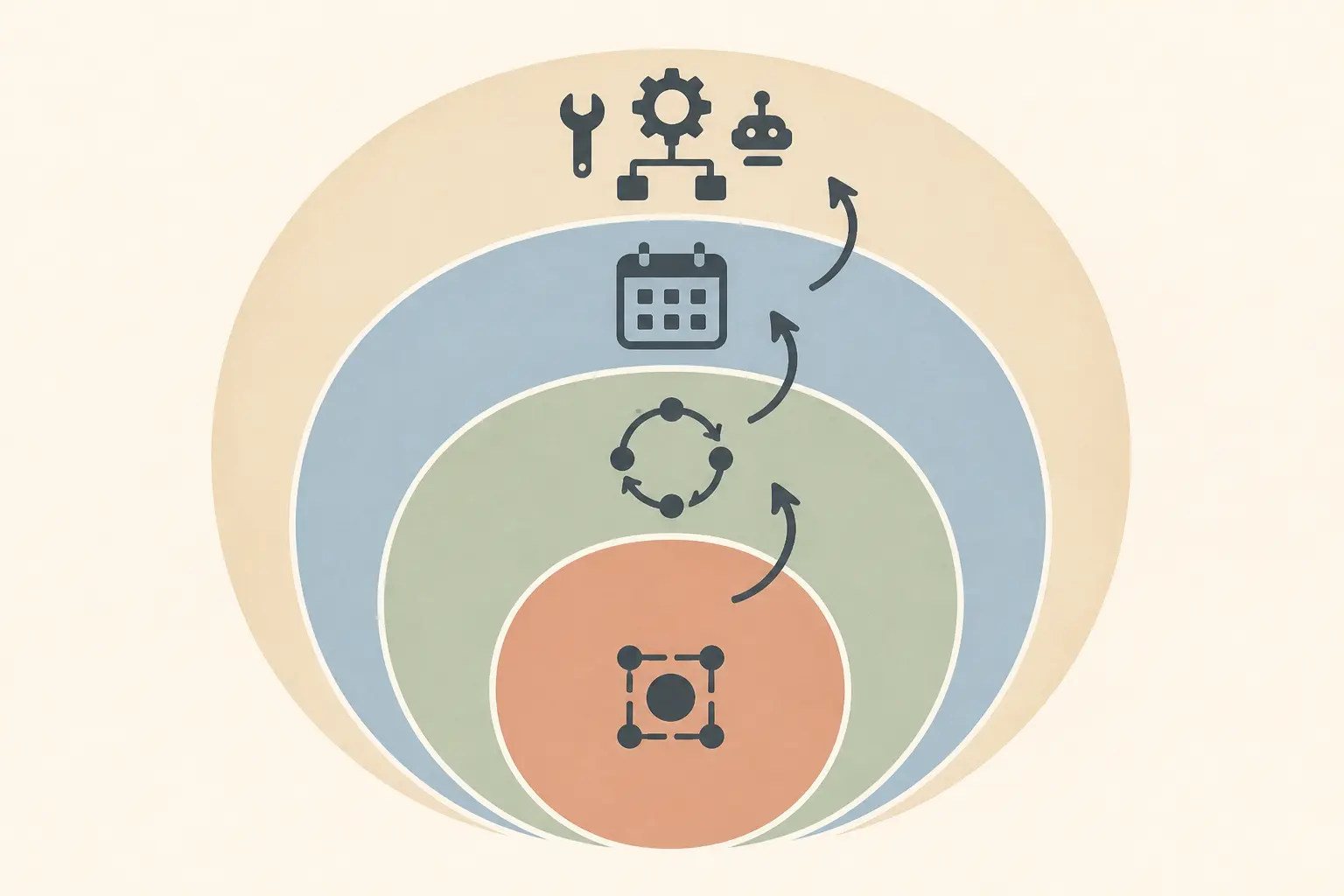
I use four budget units:
| Budget unit | What it protects | Typical question | Example control |
|---|---|---|---|
| Work unit | One user request or business task | What may this task consume? | A dollar ceiling, maximum turns, and maximum tool calls |
| Run | The complete loop from start to final state | Can this execution keep expanding? | A run ledger, cumulative spend check, and stop condition |
| Rolling period | Repeated use over a day, week, or month | How much exposure can this agent create? | A daily or monthly cap, alerts, and rate limits |
| Capability | The expensive or risky parts of the loop | Which tools or model tiers may consume the budget? | Per-tool ceilings, model allowlists, and delegated budgets |
These layers are related, but they are not substitutes for one another. A monthly ceiling cannot tell you whether the current run has already wasted its allowance. A per-run token limit cannot protect you from a user or scheduler launching thousands of ordinary runs. A model budget cannot account for an API call that charges separately from the model.
An AI agent budget is a control contract for work, not a single number copied from a billing dashboard.
Which costs belong in the budget?
Start with a cost inventory. If a line can increase when the agent takes another step, include it in the run estimate even if the provider invoices it under a different product name.
Model input and output
Count input and output separately when the provider prices them separately. Input can grow as the loop carries forward tool results, conversation history, retrieved documents, summaries, or previous attempts. Output can include visible text, reasoning, structured tool arguments, and other billed tokens depending on the API.
The important measurement is not only tokens per request. It is tokens per completed task. The same task may produce several model requests, and each request may carry a different amount of context.
OpenAI's Agents SDK exposes aggregate usage for a run and also exposes per-request usage entries. Its documentation says usage is aggregated across model calls, including tool calls and handoffs, and shows input, output, and total token fields in its examples (OpenAI Agents SDK usage documentation). That is the level of accounting you want: one record for the run, with enough detail to explain where the total came from.
Tool calls and returned data
A tool can have its own price. A search provider may charge per request. A database, browser, code runner, image service, or transactional API may charge by call, execution time, rows, or bytes. Even when the tool is free, its result can expand the next model request and increase token cost.
AWS calls out this two-sided effect in its Agentic AI Lens guidance: each tool call can incur both the external API cost and the token cost of processing returned data (AWS Agentic AI Lens cost controls). Your inventory should therefore record both the call and the returned payload.
For each tool, record:
- fixed price per call, if any;
- variable price such as rows, seconds, pages, or bytes;
- average and high-percentile result size;
- whether the tool can change external state;
- timeout and retry behavior;
- whether the result is sent back to the model in full or summarized first.
Retries and failed work
A failed call still consumes tokens, wall-clock time, and often the external tool charge. A retry may be sensible, but it must draw from an explicit retry allowance. If a retry is free in your application code, it is not free in the provider bill.
Track the original attempt and every retry under the same run ID. Otherwise the dashboard will report a collection of cheap-looking calls while the business owner sees one expensive task.
Sub-agents and handoffs
Delegation multiplies the accounting problem. A parent agent may ask two sub-agents to research different paths, then pay again for the parent to read and reconcile their results. A handoff may create a new model call with a new context. Give delegated work a child budget, and charge it back to the parent task.
This does not mean every system needs a multi-agent design. If the workflow only needs one agent, do not add delegation to make the budget model look sophisticated. If you do use sub-agents, make the parent responsible for the aggregate cost and final outcome.
Retrieval, memory, and context growth
Long context can quietly change a task's cost. A memory record, retrieved document, or tool result that is inserted into every next turn becomes a repeated input. Context summarization may reduce token use, but it can also lose information and trigger another retrieval or verification step.
Budget the context path, not just the final answer. Record the number of retrieved items, the bytes or tokens inserted, the number of compactions, and the number of follow-up calls caused by missing context.
Hosting and non-model costs
If your agent uses a persistent worker, queue, browser session, sandbox, vector database, or observability product, decide whether the budget owns that cost directly or whether it sits in a shared infrastructure budget. Either choice can work. The dangerous choice is leaving it unassigned.
For a first estimate, divide shared fixed cost across expected completed tasks. Later, report it separately so the team can see both variable cost per task and the cost of keeping the capability available.
Human review and correction
If every high-risk task requires a human review, that review is part of the cost of a successful outcome. A low API bill can be misleading if the agent creates enough corrections to consume an operator's afternoon.
Keep two numbers:
- System cost: model, tool, hosting, and observability spend.
- Outcome cost: system cost plus review, correction, recovery, and failed-action cost.
The second number is the one to use when deciding whether the agent is economically useful.
How do you calculate an AI agent budget before you have perfect data?
Use a baseline worksheet, not a guess presented as a fact. The worksheet has five inputs:
expected runs in period
× cost per successful outcome
+ fixed operating cost allocated to the period
+ reserve for variation, retries, and billing lag
= planned period budget
The cost per successful outcome should include unsuccessful attempts. If ten runs produce eight accepted outcomes, divide total run cost by eight accepted outcomes, not by ten starts.
Here is a practical worksheet:
| Input | What to collect | Why it matters |
|---|---|---|
| Volume | Expected starts and expected completed outcomes | A budget follows workload, not user count alone |
| Model usage | Input, output, reasoning, cached, and total tokens by request | Context and multiple turns can dominate a short answer |
| Tool usage | Calls, result size, provider charge, and side effects | External calls and returned data add cost |
| Failure work | Retries, timeouts, corrections, and abandoned runs | Failed work still consumes resources |
| Fixed cost | Workers, storage, queues, monitoring, and licenses | Shared costs still need an owner |
| Reserve | Observed long-tail variation plus a stated assumption | The estimate must survive normal uncertainty |
| Outcome | Accepted, corrected, escalated, and failed tasks | Spend is meaningful only beside a result |
An illustrative example, using invented numbers only to show the arithmetic:
- 200 expected starts in a month.
- $0.12 average system cost per successful outcome after including retries.
- $40 of fixed monthly infrastructure allocated to the agent.
- A 20% pilot reserve on variable spend.
The variable plan is 200 × $0.12 = $24. The reserve is $4.80. The planned monthly budget is $24 + $4.80 + $40 = $68.80. That number is not a recommendation for every agent. It is a transparent starting assumption that the team can replace with measured data.
Cost per successful outcome is the budget metric that connects an agent's bill to a business decision.
If 30% of starts are abandoned and only 140 tasks are accepted, the outcome math changes. You would review the failure rate, correction work, and useful output before lowering the budget. A lower cap may reduce the bill while making the system less useful.
The calculation is a planning budget. It is not the same as an enforcement budget. Your per-run hard cap should be able to stop a bad task even when the monthly plan has room left.

How do you measure a baseline for one agent task?
Measure the system you are actually going to operate. A model name without the prompt, tools, retrieval settings, turn limit, and routing policy is not a useful cost baseline.
Freeze the system under measurement
Record these fields before sampling:
- model and dated endpoint or deployment;
- system instructions and relevant model settings;
- enabled tools and their pricing;
- retrieval, memory, and context-compaction behavior;
- maximum turns and retry policy;
- identity, permissions, and environment;
- success definition and human-review requirement;
- code revision and measurement date.
This is also what lets you explain a later change. If a new prompt adds a long policy block, the input-token increase should be visible. If a new tool returns large payloads, the run ledger should show it.
Sample representative work
Choose tasks from the real workload or a clearly labeled pilot fixture. Include ordinary work, long work, missing data, tool failures, out-of-scope requests, and cases that require escalation. Do not use only the happy path because the budget is meant to limit the tails.
As a starting recommendation, collect enough runs to see the distribution rather than relying on one demo. The right sample size depends on volume, risk, and how much variability you observe. I would rather see 30 honest pilot runs with failure labels than a polished benchmark with no cost ledger.
For each run, record:
{
  "run_id": "stable-id",
  "task_type": "named-work-unit",
  "model_cost": 0.0,
  "tool_cost": 0.0,
  "hosting_cost": 0.0,
  "retry_cost": 0.0,
  "total_cost": 0.0,
  "requests": 0,
  "tool_calls": 0,
  "turns": 0,
  "input_tokens": 0,
  "output_tokens": 0,
  "status": "accepted|corrected|escalated|failed",
  "outcome_verified": false,
  "stop_reason": "completed|budget|timeout|error|human"
}
The numbers in this schema are field examples, not sample measurements. Do not publish them as results.
Use percentiles as a starting point
Calculate at least the median, a high percentile, and the maximum for each task type. The median describes ordinary work. A high percentile helps size a ceiling that does not interrupt most normal tasks. The maximum is useful for incident review, but it may be too extreme to use as a routine budget.
My recommendation is to start the per-task target near the high percentile of accepted tasks, then set a hard cap above it only if the extra work is justified by the task's value and risk. The exact percentile is a policy choice. Do not present “use p95” or “use p99” as a universal standard.
Separate accepted outcomes from failures. If expensive failures are mixed into the same distribution, you need to know whether the cap should allow recovery or should stop earlier and escalate.
Check the bill against your ledger
Your application ledger and provider invoice may not match perfectly at every moment. Usage dashboards can aggregate data differently, and billing data can arrive later. Google Cloud explicitly warns that budget notifications use estimated billing data that may change before an invoice is finalized (Google Cloud programmatic budget notifications).
Reconcile at the level you can explain:
- provider usage and billed amount;
- application run ledger;
- tool-provider invoices;
- shared infrastructure allocation;
- accepted outcomes and correction work.
When the numbers disagree, do not quietly increase the budget. Find the missing cost category or the timing difference first.
What per-task budget should you set?
Set three values, not one:
- Target cost: the cost you expect a normal accepted task to stay near.
- Soft threshold: the point where the agent changes behavior, such as summarizing, switching to a cheaper model, slowing down, or asking for approval.
- Hard ceiling: the point where the agent cannot start another billable or irreversible action without explicit authorization.
The target is for planning. The soft threshold is for adaptation. The hard ceiling is for containment.
Let business value constrain the ceiling
If an accepted outcome is worth $8 in gross contribution before agent cost, a $12 hard ceiling is not automatically rational even if the agent succeeds often. If the outcome prevents a much larger loss, the ceiling may be higher, but that should be an explicit risk decision.
For a repeatable task, write:
maximum system cost per accepted outcome
≤ value of accepted outcome
− human review cost
− expected correction cost
− required margin
This is a decision rule, not an accounting standard. It forces the team to state what “worth it” means.
For exploratory research, the outcome may not be a transaction. Use a different success definition, such as a decision memo that a named person accepts, and budget the exploration separately from production automation.
Make the ceiling risk-sensitive
Cost is only one dimension. A cheap wrong action can be more damaging than an expensive read-only search. Use risk tiers alongside cost tiers:
| Task class | Typical budget posture | Limit behavior |
|---|---|---|
| Read-only and reversible | Allow more flexibility within a modest ceiling | Summarize or switch model near the soft threshold; stop at the hard ceiling |
| Customer-facing or reputation-sensitive | Keep a tighter run limit and require outcome verification | Escalate before sending or publishing when evidence is incomplete |
| Financial, legal, access-changing, or destructive | Separate spend budget from action authorization | Require approval or a deterministic policy before the side effect |
| Long research or coding task | Budget the loop and the expected output separately | Save progress, report remaining work, and ask whether to continue |
NIST's Generative AI Profile frames risk-management activity around the organization's risk tolerance and says deployed systems should be able to fail safely within that tolerance (NIST AI 600-1). The practical implication is that the hard ceiling and the failure response should be set together. A limit that produces a half-written database update is not safe merely because it controls dollars.
The correct per-task ceiling is the highest cost you can justify for an accepted outcome and the lowest cost that still permits safe completion.
Keep tokens, turns, and dollars together
A dollar cap alone may be too slow to stop a loop if the ledger only updates after an invoice. A token cap alone may miss a costly external tool. A turn cap alone may stop a cheap task before it finishes.
Use at least three counters:
- cumulative estimated dollars for the run;
- model requests, turns, and tool calls;
- capability-specific spend or invocation counts.
The run may continue only while all required counters remain below their limits and the next action is allowed. That is a conjunction, not an average.
How should you set a daily or monthly budget?
Start with expected completed tasks, not the maximum number of users. Then add a separate allowance for experimentation, incidents, and fixed costs.
period budget
= expected accepted outcomes × cost per accepted outcome
+ expected failed or corrected work
+ fixed infrastructure allocation
+ approved experiment allowance
+ reserve
If the agent has multiple task classes, budget them separately first. A cheap read-only assistant can hide an expensive research workflow if both share one average. After you understand each class, roll them up to the project or team budget.
Forecast volume honestly
Ask four questions:
- How many tasks will the scheduler launch?
- How many user requests will become agent runs?
- How many runs will be retried or resumed?
- How many outcomes will require correction or human review?
Use observed launch-to-outcome ratios when you have them. If you do not, write the assumption in the budget contract and plan to replace it after the pilot.
Do not treat a monthly budget as permission to spend evenly. A scheduler bug, product launch, or repeated user action can consume the plan early. Add a daily guardrail or a rate limit so the agent cannot spend a month's ordinary allowance in an hour.
Choose warning thresholds that lead to action
You need enough time to respond before the hard limit. A simple pilot can use a soft alert and a critical alert, such as 70% and 90% of the period plan. Those percentages are a starting convention, not a standard. If your billing data arrives late or your action takes an hour to stop, move the threshold earlier.
At each threshold, define an owner and action:
| Threshold | Owner action | Agent behavior |
|---|---|---|
| Normal | Review cost per accepted outcome on the planned cadence | Full approved capability set |
| Soft | Check anomaly, volume, and recent deploys | Use cheaper route, reduce concurrency, or require approval for expensive work |
| Critical | Confirm whether the spend is expected and safe | Stop new runs or restrict to read-only and low-cost paths |
| Hard | Record incident or approved continuation | Reject new billable work until a person changes the policy |
An alert without an owner is a notification, not a control.
A budget review is complete only when the owner can explain both the spend and the outcome it purchased.
Know what your provider's budget actually does
Provider controls vary. OpenAI's current project guidance says a monthly spend setting can create soft thresholds where API requests continue after the threshold, and it also describes hard spend limits that cause requests to fail after the limit is reached (OpenAI project management). Verify which mode you are using and whether the hard limit applies to the project, organization, model, or API capability you care about.
Google Cloud makes the same distinction in a different way. Its budgets documentation says alerts-only budgets do not automatically cap usage or spending. Its spend-cap documentation describes a preview control that can pause eligible service usage after gross estimated costs exceed the target, while in-flight requests complete (Google Cloud budgets, Google Cloud spend caps).
That is why the application or gateway needs its own run-level control even when the billing platform offers a project-level budget.
A monthly alert tells you that exposure is rising; an enforced per-run ceiling decides whether the next action may happen.

Which limits should be hard and which should be soft?
Make cost estimates soft when the agent can safely adapt. Make safety, authorization, and maximum exposure hard when the consequences require it.
A soft limit can trigger:
- a switch from a frontier model to an approved lower-cost model;
- a smaller retrieval set or a summary pass;
- fewer parallel workers;
- a request for user clarification;
- a handoff to a human;
- a pause that preserves state for later continuation.
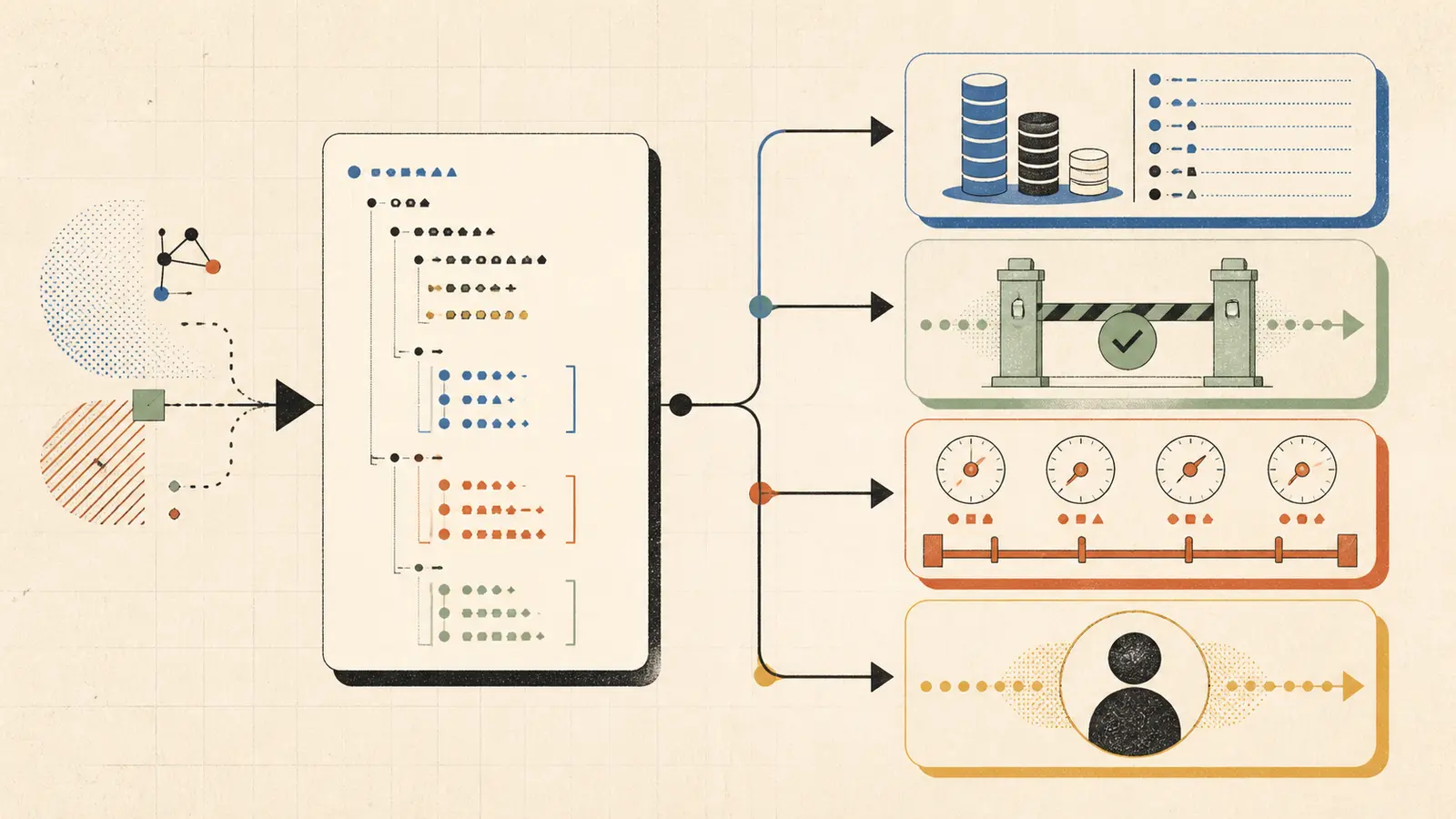
A hard limit should prevent another action, not merely write a log line after the action has already occurred. It should be checked before a model request, tool call, sub-agent launch, or external side effect when that action could cross the threshold.
AWS states the principle directly: “Implement cost controls outside the agent's control loop for reliable enforcement.” The recommendation appears in its cost-control guidance alongside per-cycle, per-task, and per-day limits, automatic cutoffs, tool-invocation caps, and graduated throttling (AWS Agentic AI Lens).
The phrase “outside the agent's control loop” matters. An instruction such as “please stay under $1” is useful context, but the agent should not be the sole authority that decides whether it has stayed under $1. The ledger, policy layer, gateway, or orchestrator must be able to refuse the next action.
Define the limit action before you deploy
For each ceiling, specify:
- what is counted;
- when the counter is updated;
- whether an in-flight action can finish;
- what new actions are rejected;
- what state is saved;
- what the user sees;
- who can authorize continuation;
- how the event is recorded.
Do not leave this as a generic “stop on budget exceeded.” A safe stop for a read-only search may return a partial answer. A safe stop during a multi-step write may need a transaction rollback, idempotency key, or human review.
Handle uncertainty in the estimate
If the next tool call has an unknown price or a response size that could be large, reserve an upper bound before starting it. If the reserve is not available, do not start the call automatically. Ask for approval or choose a bounded alternative.
This is conservative by design. A budget that is too conservative can be tuned after measurement. A budget that starts an unbounded external action has already lost control.
How do you allocate a budget across tools and models?
Give each expensive capability a small contract inside the run budget. The parent task should know how much remains before it delegates or calls the capability.
| Capability | Budget field | Example policy |
|---|---|---|
| Primary model | input and output token allowance plus estimated dollars | Use the approved model for the task class, with a per-request and run ceiling |
| Search or browsing | calls, result size, and provider cost | Limit calls and summarize results before the next model request |
| Code execution | executions, wall time, files, and sandbox cost | Cap execution time and stop after repeated failures |
| Database or API writes | calls, transaction scope, and authorization | Separate action approval from API cost; verify the resulting state |
| Sub-agent | delegated dollars, turns, and result size | Parent pre-funds a child budget and reclaims unused balance |
| Human review | minutes or fixed review cost | Route high-risk or high-value work before the system spends further |
Route by task class, not by cheapest invoice
A cheaper model can increase total cost if it fails more often, uses more turns, or creates more correction work. A more expensive model can be wasteful on a routine classification step. The right comparison is cost per accepted outcome under the same success definition.
For a pilot, route a small set of representative tasks through each approved model or policy. Record not only provider spend, but also:
- accepted outcome rate;
- correction or escalation rate;
- tool-call count;
- latency and timeout rate;
- human-review time;
- safety or authorization failures.
The cheapest run is not automatically the cheapest outcome.
Put a ceiling on delegation
If a parent agent has $1 remaining and launches two child agents without pre-allocating their budgets, the ledger is already broken. Use a reservation model:
parent remaining budget
− child reservation
= budget available to the parent after delegation
The child may spend less than its reservation. Return the unused amount to the parent only after the child closes and its costs are recorded. If the child reaches its limit, it returns a bounded result or an escalation state. It does not create another child by default.
This is a budgeting rule, not a claim that one specific framework supports reservations. Implement it at the orchestrator or gateway layer that owns the ledger.
Charge returned context to the caller
If a tool returns 100 pages and the parent model reads all 100 pages, the parent should bear the context cost even if the search service itself is cheap. This prevents a team from “optimizing” the tool line by pushing a large bill into the model line without noticing.
Use summaries, truncation, pagination, or structured extraction where they preserve the task's success criteria. Do not truncate evidence blindly. A smaller context that causes a second search may cost more than a bounded first pass.
What Budget Contract can you copy into an agent project?
The following is my implementation artifact. It is a vendor-neutral contract, not a platform schema. Fill every field or explicitly mark the field as not applicable.
budget_contract:
  name: "invoice-reconciliation-agent"
  owner: "finance-automation"
  review_date: "2026-11-16"
  currency: "USD"

  unit_of_work:
    name: "one invoice reconciliation accepted by a reviewer"
    success_definition:
      - "reconciliation result is written to the review queue"
      - "source invoice and ledger records are linked"
      - "exceptions are classified or escalated"

  cost_ledger:
    required_fields:
      - "run_id"
      - "task_type"
      - "model"
      - "input_tokens"
      - "output_tokens"
      - "reasoning_tokens_if_billed"
      - "tool_calls"
      - "tool_cost"
      - "retry_count"
      - "sub_agent_cost"
      - "total_estimated_cost"
      - "total_billed_cost_when_available"
      - "outcome_status"
      - "stop_reason"

  per_task:
    target_cost: 0.20
    soft_threshold: 0.35
    hard_ceiling: 0.50
    max_turns: 8
    max_tool_calls: 12
    max_retries_per_tool: 2

  rolling_period:
    window: "calendar_month"
    planned_spend: 250.00
    alert_thresholds: [0.70, 0.90]
    daily_spend_guardrail: 25.00
    maximum_concurrency: 5

  capability_limits:
    models:
      - name: "approved-default"
        use: "ordinary reconciliation"
      - name: "approved-review"
        use: "ambiguous exceptions only"
        requires: "soft-threshold approval"
    tools:
      invoice_reader:
        max_calls_per_task: 4
        max_result_tokens_per_call: 6000
      ledger_writer:
        max_calls_per_task: 2
        requires: "verified reconciliation and write authorization"
    sub_agents:
      allowed: false

  on_limit:
    soft_threshold:
      - "summarize current evidence"
      - "stop adding new search branches"
      - "ask for human approval before expensive review model"
    hard_ceiling:
      - "reject next billable model or tool action"
      - "do not perform ledger write"
      - "persist state and partial evidence"
      - "return escalation with remaining work"
      - "emit budget_event with run_id and stop_reason"

  change_control:
    remeasure_when:
      - "model changes"
      - "prompt or retrieval changes"
      - "tool schema or price changes"
      - "retry or handoff policy changes"
      - "accepted outcome definition changes"
The amounts in this example are fictional configuration values. They show shape, not a recommended budget for invoice work. Replace them with measured and approved values before use.
A budget contract is useful only when the agent can spend, stop, and report against the same counters.
Make the contract executable
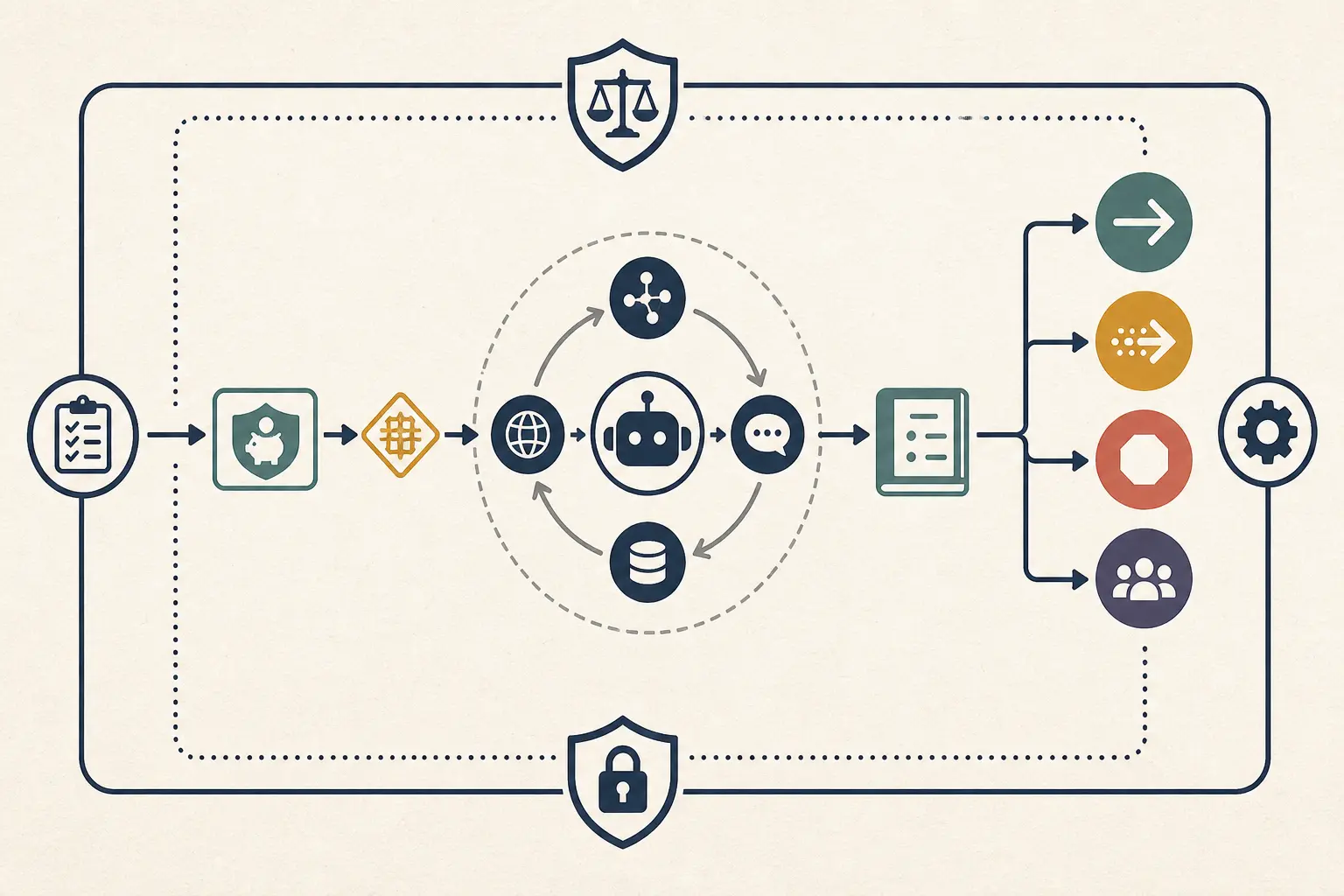
At minimum, the orchestrator needs a preflight function and a post-action function. The following pseudocode shows the control points. It is intentionally provider-neutral and has not been presented as a tested library:
preflight(action, ledger, contract):
    estimate = price(action, ledger.context, contract)

    if estimate.unknown:
        return BLOCK("unknown cost requires approval")

    if ledger.total_estimated_cost + estimate.total > contract.hard_ceiling:
        return BLOCK("hard task ceiling")

    if action.is_external_side_effect and not action.approved:
        return BLOCK("side effect requires authorization")

    if ledger.tool_calls[action.tool] >= contract.tool_limit(action.tool):
        return BLOCK("tool invocation limit")

    if ledger.turns >= contract.max_turns:
        return BLOCK("turn limit")

    if ledger.total_estimated_cost + estimate.total >= contract.soft_threshold:
        return APPROVAL_OR_DEGRADE("soft threshold")

    return ALLOW

post_action(action, result, ledger):
    ledger.record(action, result)
    ledger.refresh_estimated_cost()
    emit_usage_event(ledger)

    if result.failed and retry_is_allowed(action, ledger):
        return RETRY_WITH_RESERVATION

    if ledger.total_estimated_cost >= contract.hard_ceiling:
        return STOP_AND_ESCALATE

    return CONTINUE
The preflight check must run before an action that can spend or change state. The post-action check must record the real result, including failure. A prompt that tells the agent to track its own cost is not a replacement for either check.
How do you handle retries, loops, and tool failures?
Treat retries as a budget category with its own policy. A retry is justified only when the failure is likely to be transient, the action is safe to repeat, and the remaining budget can cover it.
Classify failure before retrying
Use at least three classes:
| Failure | Default action | Budget implication |
|---|---|---|
| Timeout or transient network error | Retry with bounded backoff if the tool is safe | Reserve a retry allowance before the first attempt |
| Invalid arguments or schema error | Fix once or escalate | Repeating the same request should not consume the remaining budget |
| Policy, permission, or data-boundary failure | Stop and escalate | More spend will not authorize the action |
| Empty or low-quality result | Change strategy only if the contract allows it | Count the extra search, context, and model calls |
| Repeated unchanged state | Stop the loop | Preserve evidence for diagnosis instead of paying for another identical step |
The existing AI agent loop diagnosis guide covers why an agent can repeat an action. For budgeting, the important point is narrower: a loop needs a maximum number of turns, a maximum number of repeated tool calls, and a cumulative cost cutoff.
OpenAI's Agents SDK exposes max_turns and raises MaxTurnsExceeded when the run passes that limit. The SDK documentation describes a turn as an agent invocation that can include tool calls, which is a useful concrete example of a loop-level guard (OpenAI Agents SDK running agents). If your framework does not have an equivalent, add the counter in your orchestrator.
Do not retry non-idempotent actions casually
A retry budget controls spend, but it does not make a repeated write safe. Before allowing retries on an external side effect, require an idempotency key, a status check, or a transaction boundary. If the action cannot be made safe to retry, stop after an ambiguous result and ask for review.
This is where cost and correctness meet. Saving ten cents on a retry policy is not a good trade if it duplicates a payment, sends a repeated message, or creates two records.
Give the stop event a useful payload
When a run stops for budget, return:
- task and run ID;
- amount spent and amount reserved;
- last completed action;
- action that was blocked;
- remaining work;
- whether external state changed;
- evidence available for review;
- how a person can resume safely.
That payload turns “budget exceeded” into an operational handoff. It also lets you distinguish a cap that protected the system from a cap that was set too low.
How do you know whether the budget is too low or too high?
Look at both cost and outcome. A budget is too low when it interrupts accepted work, increases retries, or creates expensive human recovery. It is too high when the additional spend does not improve accepted outcomes, or when the cap permits a harmful action before review.
Use a tuning table:
| Observation | Likely interpretation | First change to test |
|---|---|---|
| Most accepted tasks stop below the soft threshold | Target or threshold may be generous | Lower the target or route routine tasks to a cheaper path |
| Many accepted tasks hit the hard ceiling with useful partial work | Hard cap may be too low or task scope too broad | Split the task, improve retrieval, or raise the cap only with value evidence |
| Failed tasks consume most of the budget | The agent is paying to discover an impossible path | Improve preflight validation, tool errors, or escalation rules |
| Cost spikes after a new tool or prompt | The cost surface changed | Compare context size, tool results, and turn count before changing the cap |
| Cost falls but corrections rise | Optimization damaged outcome quality | Restore the route or tighten the success check |
| Monthly spend is high but per-task cost is stable | Volume or concurrency changed | Review launch policy, rate limits, and task mix |
| Provider bill exceeds the application ledger | A cost category or timing difference is missing | Reconcile usage, tool invoices, and billing data |
Do not tune the budget from total spend alone. Total spend answers “how much did we use?” It does not answer “what did the accepted work cost?”
The linked AI agent evaluation release gate is useful here because it separates result, actions, integrity, limits, and stability. Budget tuning belongs in the limits layer, but a cheaper run that fails the result or integrity layer is not an improvement.
Review the long tail without normalizing it away
A high-cost task can be a legitimate long job, a rare data shape, a broken tool, or a loop. Put these cases in separate categories. If you combine them, you will either set the ceiling high enough to tolerate failures or low enough to interrupt valuable work.
The correct response to a long tail may be:
- a separate task class with a separate budget;
- a staged workflow that asks for approval before the expensive phase;
- better tools or retrieval boundaries;
- a smaller context and a verification step;
- a human handoff;
- a product decision to keep the task non-agentic.
Do not solve every tail problem by increasing the cap.
How do you monitor budget use after launch?
Monitor the budget at three levels:
- Run level: what happened in this task?
- Agent level: which task classes, tools, and models are consuming the period budget?
- Business level: what did accepted outcomes cost and what value did they create?
For every run, retain the cost and outcome fields together. A useful dashboard can show:
| View | Metrics |
|---|---|
| Run | Estimated cost, billed cost when available, turns, tool calls, retries, duration, stop reason |
| Task class | Median and high-percentile cost, accepted outcome rate, correction rate, escalation rate |
| Capability | Spend and calls by model, tool, sub-agent, retrieval path, and environment |
| Period | Actual versus plan, forecast, daily burn, concurrency, alert and cutoff events |
| Business | Cost per accepted outcome, human minutes, avoided or created work, margin or value proxy |
AWS recommends dashboards for budget utilization, cutoff activations, and throttling events. That is a good minimum control view, but your business dashboard must add outcome status so cost optimization does not become a race to produce cheap failures (AWS Agentic AI Lens).
The existing AI agent monitoring guide covers the broader observability contract. Budget telemetry should fit inside that contract instead of creating a second, disconnected logging path.

Alert on patterns, not only totals
Useful budget alerts include:
- a sudden increase in turns per accepted task;
- repeated tool calls with no state change;
- a jump in returned context size;
- a rising share of tasks stopped by the hard ceiling;
- a new model or tool consuming most of the budget;
- spend increasing faster than completed outcomes;
- a large gap between estimated and billed cost;
- a new deployment changing the cost distribution.
Anomaly detection should lead to a runbook. When the alert fires, the owner should know whether to pause new runs, roll back the change, restrict a tool, lower concurrency, or sample traces.
How do you budget an agent with external side effects?
Separate compute spend from action authority. A $0.05 tool call that changes a customer record may need more approval than a $5 read-only research task.
Define two gates:
- Cost gate: may the system spend the next dollar or token allowance?
- Consequence gate: may the system perform the next external action?
Both must pass. A budget does not authorize a payment, deletion, publication, permission change, or message send merely because money remains.
For side effects, require:
- an explicit action name and scope;
- an identity and permission check;
- a deterministic precondition;
- an approval rule when the consequence is material;
- an idempotency or rollback strategy;
- an outcome verification step;
- a cost and action audit event.
NIST recommends comparing deployed system behavior with predefined risk tolerance and verifying that the architecture can monitor performance, recover from errors, and repair them when impacts are detected (NIST AI 600-1). A budget cutoff is one control in that chain, not the whole safety case.
If your team is still deciding what access an agent should have, read how to give an AI agent least-privilege tool access. The budget article's point is that even least-privilege tools need cost and invocation limits, because a read-only search loop can still consume a large allowance.

How should you run a budget pilot before production?
Use a staged release. NIST's guidance calls for documenting trade-offs and measurement results for risk responses and describes staged release as one approach to consider in model release decisions (NIST AI 600-1).
Stage 1: Observe without autonomous side effects
Run the agent against representative tasks with tools read-only or simulated. Record the cost ledger, outcome labels, and blocked actions. Do not hide failures by omitting the tool calls that would have happened in production.
The goal is to learn the cost distribution and find the actions that need a separate limit.
Stage 2: Enforce a conservative run ceiling
Turn on the application or gateway cutoff. Make the stop event visible to the user and the operator. Test a task that should complete, a task that should stop for cost, and a task that should stop for authorization.
The goal is to verify that the budget control itself works, not only that the agent usually stays under budget.
Stage 3: Allow narrow, reversible actions
Add one external capability with a bounded scope. Require outcome verification and keep the rolling period budget small enough that an error is recoverable. Measure accepted outcome cost and human correction time.
The goal is to test the combined cost and consequence contract.
Stage 4: Expand by evidence
Increase volume, concurrency, or capability only after the previous stage has a clear owner, known failure modes, and a measured cost distribution. Recalculate the budget when the model, prompt, retrieval, tool, retry policy, or outcome definition changes.
Do not call the pilot a success because it stayed under its budget. It must also produce accepted outcomes, preserve authorization boundaries, and leave enough evidence to investigate a failure.
What should the budget review cadence be?
Use event-driven reviews for behavior changes and a regular review for spend trends.
Recalculate after:
- a model or provider changes;
- pricing or billing units change;
- a prompt, policy, or context window changes;
- a tool schema, result size, or timeout changes;
- a retrieval or memory strategy changes;
- a retry, handoff, or sub-agent policy changes;
- task volume, concurrency, or user population changes;
- the success definition or human-review path changes;
- a budget cutoff or incident occurs.
For a new agent, review the ledger weekly during the pilot. After the cost distribution is stable, review at least monthly and after every material change. High-risk provider facts should be rechecked on a shorter interval than low-risk conceptual guidance. This article is scheduled for review by 2026-11-16 because provider controls and prices can change.
Keep a change log with:
| Field | Example |
|---|---|
| Change | Added browser tool |
| Expected effect | More complete research, higher tool and context cost |
| Budget impact | New per-task tool reserve and lower max pages |
| Evidence | Pilot run distribution before and after |
| Approval | Named owner and date |
| Rollback | Previous tool policy and budget contract |
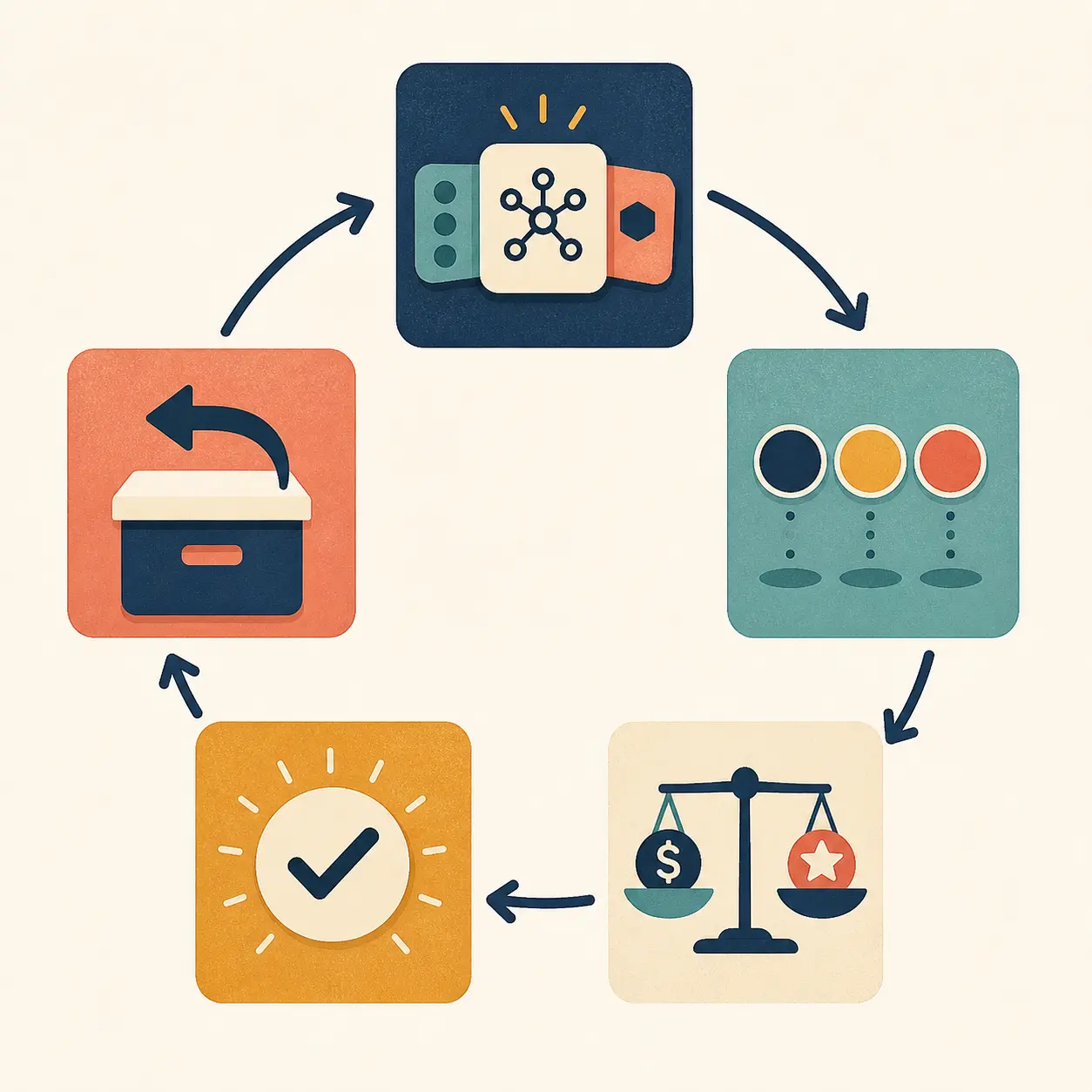
Cost governance becomes easier when a new capability arrives with a budget note instead of a surprise invoice.
What common budget mistakes should you avoid?
Setting only a monthly account budget
A project budget can be useful for visibility, but it may not stop a single run. OpenAI documents the difference between soft thresholds and hard spend limits. Google documents that alerts-only budgets do not automatically cap usage. Treat provider settings as one layer and confirm their exact enforcement behavior (OpenAI project management, Google Cloud budgets).
Counting only visible output tokens
Input context, thinking, tool results, retries, and sub-agents can matter. Anthropic describes task budgets across the agentic loop, and OpenAI's SDK exposes usage across model calls, tools, and handoffs (Anthropic task budgets, OpenAI Agents SDK usage).
Treating a dashboard as a cutoff
A dashboard tells you what happened. It may not be able to block the next action. Put the enforcement check before the billable or irreversible action, and make it independent of the agent's own instructions. AWS explicitly recommends enforcement outside the agent control loop (AWS Agentic AI Lens).
Using a round number without a unit of work
“We can spend $500 per month” is not enough. Say what the agent does, how many tasks that buys, what counts as success, and how failures are handled. The same $500 can support ten high-value tasks or thousands of low-value requests.
Raising the cap when the agent fails
More budget can help a legitimate long task, but it can also fund a broken tool, poor retrieval, or a loop. Inspect the trace and outcome first. If the agent is repeating the same action, the fix belongs in the loop or tool contract, not in a larger allowance.
Optimizing cost while dropping verification
Removing a verification step can make the ledger look better while making the outcome less trustworthy. Keep the success check in the cost-per-outcome calculation.
Making a child agent invisible
If delegated work does not appear in the parent's run total, your budget is fiction. Pre-fund the child, record its actual spend, and charge it back to the parent task.
Stopping at the limit without preserving state
A hard stop should contain the run, not erase the work. Save the last completed action, evidence, pending step, and reason for stopping. A useful handoff may let a human finish safely without starting from zero.
What is the fastest way to set a first budget?
If you need a working control today, use this sequence:
- Name one work unit and its accepted outcome.
- List every model, tool, retry, retrieval, sub-agent, hosting, and review cost.
- Run a representative pilot and record the full ledger.
- Calculate typical cost, high-percentile cost, and cost per accepted outcome.
- Set a target, soft threshold, and hard ceiling for one task.
- Add a daily and monthly plan based on expected volume, fixed cost, and a stated reserve.
- Add tool, turn, retry, concurrency, and side-effect limits.
- Enforce the hard ceiling before the next billable or irreversible action.
- Define stop, degrade, approval, and escalation behavior.
- Review the ledger after model, prompt, retrieval, tool, pricing, or workload changes.
Use this pre-launch checklist
- [ ] The unit of work and accepted outcome are named.
- [ ] A run ID connects model, tool, retry, sub-agent, and outcome events.
- [ ] Input, output, reasoning where billed, and returned context are accounted for.
- [ ] Tool and hosting charges are assigned to the run or a documented shared budget.
- [ ] Failed and corrected work is included in cost per accepted outcome.
- [ ] A target, soft threshold, and hard ceiling exist for the task.
- [ ] A daily or monthly budget exists separately from the per-task ceiling.
- [ ] Turn, tool-call, retry, concurrency, and delegated-work limits exist.
- [ ] The hard check runs outside the agent's own reasoning loop.
- [ ] The next action is blocked before the limit can be crossed.
- [ ] The limit behavior preserves state and reports remaining work.
- [ ] Side effects have a separate authorization and outcome-verification gate.
- [ ] A named owner receives alerts and can pause or change the policy.
- [ ] The budget was tested with an ordinary task, a long task, a failed tool, and a limit breach.
- [ ] The next review date is recorded.
The first budget will be imperfect. That is fine if the assumptions are visible, the counters are real, and the system fails safely. A budget that can be measured and adjusted is far more useful than a precise number nobody can explain.

For Marius Manolachi, the practical standard is simple: fund the task you can verify, cap the work you cannot justify, and keep the decision to continue outside the agent's control.
Continue with a related field note
Questions people ask next
Should an AI agent have a per-task budget or only a monthly budget?
Use both. A per-task budget limits one runaway request, while a daily or monthly budget limits aggregate exposure. A monthly budget without a per-task ceiling can be consumed by one loop; a per-task ceiling without a period budget can be repeated until the account is exhausted.
What should an AI agent budget include?
Include model input and output, reasoning where billed, tool calls and returned data, retries, sub-agent work, retrieval or search, hosting, and human review when it is part of the workflow. Track external business side effects separately because the cost of a mistaken action can exceed the API bill.
Are token budgets hard spending limits?
Not necessarily. A token or task budget may be advisory, while a provider or gateway limit may be enforced. Confirm the behavior of the exact API and layer you use. Pair an advisory model budget with an enforced gateway or application cutoff when spend must be bounded.
How much reserve should I add to an AI agent budget?
Start from measured variation rather than a universal percentage. Use a reserve for retries, long-tail tasks, and billing uncertainty, then compare actual cost and successful outcomes. If you need a starting point before you have data, label a modest reserve as a pilot assumption and replace it with observed percentiles.
What should happen when an AI agent reaches its budget?
The agent should stop before the next billable or irreversible action, save the state it has, explain what remains, and either ask for approval, hand off to a person, or return a safe partial result. Do not silently continue, hide the overrun, or claim success.