Field note · opportunity
Why Does My AI Agent Context Window Fill Up So Fast?
Find the real source of fast AI-agent context growth, from tool schemas and long histories to retrieval bursts, then choose the right fix.

An agent can look fine at turn one and feel unusable at turn eight. The surprising part is that the user’s latest message may be the smallest thing in the request.
The window is being filled by the agent’s working set: instructions, tool schemas, past messages, tool calls, tool results, retrieved files, images, and output. Once a loop keeps carrying those items forward, one oversized result can change the whole run.
Why does my AI agent context window fill up so fast?
Your AI agent’s context window fills quickly because each turn carries system instructions, tool definitions, conversation history, tool calls and results, retrieved material, images, and model output. Agent loops repeat that payload, so large results and verbose history compound. Measure rendered tokens, then trim, filter, retrieve on demand, summarize, compact, or start a fresh task session.
That is the short answer. The rest of the diagnosis is about locating the largest bucket.
Anthropic’s documentation puts the accounting boundary plainly: “Everything in the request counts toward the context window: the system prompt, every message in messages (including tool results, images, and documents), and your tool definitions.” The same page explains that generated output also counts, and that context capacity is different from the model’s broader training data (Anthropic context windows).
Your latest user message is only one line item in the request, not the whole request.
If you remember only one idea, make it this: an AI agent does not have a magical scratchpad outside the context window. It may have application state, a database, files, a cache, or a memory store, but the model can use those only when the runtime exposes the relevant slice in a tool result, instruction, input, or retrieval response.
The OpenAI Agents SDK makes the same distinction between local application context and LLM-visible context. A Python object passed to the runtime can be available to tools and callbacks without being sent to the model. To make data visible to the LLM, the application must put it into instructions, input, conversation history, tools, retrieval, or web search (OpenAI Agents SDK context).
That distinction gives you the first diagnostic question: what did the model actually receive on the failing call? Not what your application had available. Not what the database contained. The rendered request.
What exactly counts against the context window?
Think of a model request as a packed case file. Some parts are present on every turn. Others arrive only when the agent acts. Both consume room.
| Payload | Typical source | Why it grows | First repair to consider |
|---|---|---|---|
| System and developer instructions | Agent configuration, policies, project files | Long policies are repeated or injected every request | Remove duplication and separate durable rules from task detail |
| Tool definitions | Functions, MCP schemas, examples, descriptions | Many tools or verbose schemas are loaded together | Scope, defer, or simplify the available tools |
| Conversation history | User messages, assistant replies, plans, corrections | Every turn remains in the session | Trim, summarize, or split the task |
| Tool inputs | File paths, SQL, search queries, JSON arguments | The agent sends large arguments or repeats them | Pass IDs and filters instead of full payloads |
| Tool outputs | Files, API responses, logs, search results | Raw output is copied into history | Filter, cap, paginate, clear, or externalize it |
| Retrieval and media | Documents, URLs, images, audio, video | One fetch can be a large burst | Retrieve smaller chunks and preserve citations or IDs |
| Model output | Final answers, plans, reasoning or thinking blocks where applicable | Verbose output becomes future input | Set output limits and preserve only needed artifacts |
| Reserved output headroom | max_tokens or provider equivalent | Less input room remains available | Reserve based on the next response, not the whole model maximum |
The exact fields and behavior vary by provider. The category map does not. If you can see it in the model-facing request, count it or verify how the provider counts it.

Google’s token documentation is useful here because it exposes separate usage fields for prompt, output, thinking, cached content, tool-use input, and total tokens. It also says that text, images, and other input modalities are tokenized (Google Gemini token counting). You do not need to use Gemini to adopt the accounting habit. You need to stop treating “prompt length” as a synonym for “the user’s message.”
Is the context window the same as your agent’s memory?
No. The context window is the model’s current working set. Memory is a storage and retrieval design. Task state is a checkpoint. An audit log is evidence of what happened. A source system owns current facts.
Confusing those things creates two opposite problems. You either inject too much because “the agent might need it later,” or you delete something important because “the conversation is only temporary.” The better move is to put each item in the narrowest store that can serve its job.
| If the information answers... | Put it in... | Send to the model... |
|---|---|---|
| What is this run doing and where can it resume? | Task checkpoint | A compact current-state record |
| What stable preference should affect a future task? | Scoped memory | Only when relevant and permitted |
| What is true in the operational system right now? | Source system | A fresh, filtered lookup |
| What happened and which version acted? | Audit log | Only the evidence needed for the decision |
| What does the model need for this next choice? | Current context | The smallest sufficient slice |
The AI agent memory guide goes deeper into the boundary between task state, durable memory, source-of-truth data, and audit evidence. That boundary matters here because externalizing state is one of the cleanest ways to stop the current context from becoming a permanent warehouse.
Why do agent loops grow faster than ordinary chats?
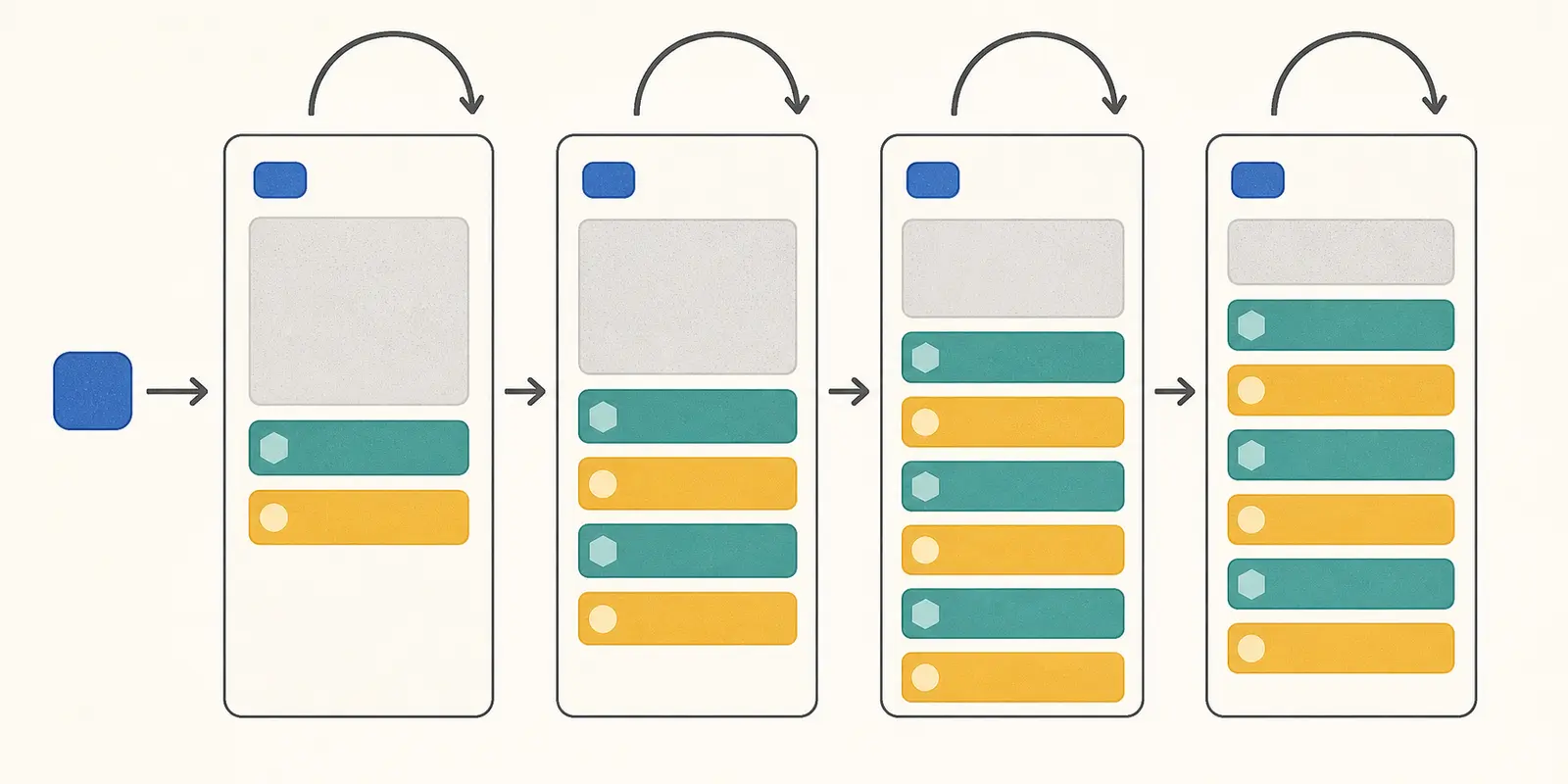
An ordinary chat often adds one user message and one assistant response per turn. An agent can add several model calls, tool calls, tool results, observations, retries, plans, and handoff messages before it gives the user one visible answer.
The growth is not always additive in the way people expect. A tool result may be inserted into the next request, then the assistant may quote or summarize parts of it, then another tool may return a second copy, and the next model call carries all of that history again. The live context becomes a record of both the work and the agent’s descriptions of the work.
Claude Code’s agent-loop documentation describes this directly. The context window accumulates the system prompt, tool definitions, conversation history, tool inputs, and tool outputs. It also warns that a large file read or verbose command can use thousands of tokens in one turn, and that longer sessions with many tool calls build up more context than short ones (Claude Code agent loop).
The OpenAI Agents SDK similarly retrieves prior session history before a run and stores new user input, assistant responses, tool calls, and related items after it. A session is convenient because it preserves context automatically, but automatic persistence is also automatic accumulation (OpenAI Agents SDK sessions).
An agent loop turns one user request into a sequence of context-bearing transactions.
Here is the pattern to look for in a trace:
request 1: instructions + tools + user goal
response 1: plan + tool call
request 2: instructions + tools + history + tool result
response 2: interpretation + second tool call
request 3: instructions + tools + history + result 1 + result 2
response 3: retry + explanation + third tool call
request 4: instructions + tools + all history + result 1 + result 2 + result 3
If the tool results are raw JSON, source files, logs, search pages, or meeting transcripts, the run can fill the window before the model has finished the task. If the agent is stuck in a retry pattern, inspect both pages together: the AI agent loop diagnosis explains repeated behavior, while this article explains why each repetition makes the context heavier.
Is fixed overhead consuming the window before the first turn?
Sometimes. Fixed overhead is the material that appears even when the user asks a short question. It includes system and developer instructions, project guidance, tool definitions, output schemas, routing rules, safety instructions, and sometimes the full descriptions of connected tools.
You can miss this bucket because the first user message feels small. The agent’s request may still contain a long policy block and dozens of tool schemas. A coding agent can also load project instructions at session start. An MCP-connected agent may expose many tools, each with descriptions, parameters, examples, and output metadata.
Anthropic’s current documentation lists tool definitions as part of the context and points to tool-search and tool-context controls for reducing definition overhead. Claude Code’s documentation says MCP tool schemas are deferred by default in some configurations but can fall back to upfront loading on unsupported models and platforms (Anthropic context windows, Claude Code agent loop). The safe lesson is not “MCP always fills the window.” It is “inspect whether your runtime sends all of those schemas on this request.”
Measure the fixed portion separately:
fixed_overhead =
  system_instructions
  + developer_instructions
  + project_rules
  + tool_definitions
  + output_schema
  + static_policy_blocks
Run the same empty or minimal request twice. If the rendered input is already large, you have a startup problem before you have a history problem.
The repair is usually narrower than a rewrite:
- Remove duplicated instructions that appear in both the system prompt and tool descriptions.
- Keep rules that protect execution, but shorten prose examples that the model does not need at every turn.
- Expose only the tools relevant to the current task or specialist.
- Defer tool definitions when the provider supports a reliable search or loading mechanism.
- Move long reference material to a file, database, or retrieval index and expose a focused lookup.
Do not delete a permission boundary just because it is verbose. A shorter prompt that silently removes authorization rules is a context improvement with a safety failure attached.

Are tool definitions the hidden tax at startup?
They can be. A tool definition is not free metadata from the model’s point of view. It tells the model what actions exist, when to use them, what arguments mean, and sometimes what the result looks like. A large tool catalog competes with the task itself.
This is a design trade-off. A concise schema can be cheaper but ambiguous. A detailed schema can improve tool choice but cost more tokens. The goal is not minimum characters. The goal is the smallest schema that keeps the decision safe and unambiguous.
For every tool, ask:
| Question | Keep in the model-facing definition? | Put elsewhere when possible? |
|---|---|---|
| What job does this tool perform? | Yes | No |
| What inputs are required? | Yes | No |
| What values are allowed or forbidden? | Yes | No, if omission would be unsafe |
| What does success mean? | Yes | No |
| What does a failed or partial result mean? | Yes | No |
| What are ten unrelated examples? | Usually no | Yes |
| What is the full API response schema? | Only relevant fields | Yes |
| What is the internal implementation detail? | No | Yes |
The highest-value repair is often tool scoping, not prose editing. If a specialist agent needs five tools, do not make it reason over fifty. Claude Code recommends selective tools and says tool search can defer MCP schemas in supported configurations. OpenAI’s agent tools and session patterns also make it possible to control how the runtime carries context forward (Claude Code agent loop, OpenAI Agents SDK).
If the tool catalog is large because the agent is serving many unrelated jobs, consider a router or separate subagent. A fresh subagent receives a focused brief and returns a result, instead of inheriting the parent’s full history. The parent still pays for the final summary, but not for every intermediate tool exchange.
Why do tool results consume context so aggressively?
Tool results are often the largest variable bucket because they carry raw data into a conversation that was designed for reasoning. A database tool may return every column and row. A file tool may return an entire source file when the agent needed one function. A search tool may return page text, navigation, metadata, and duplicated snippets. A shell tool may print logs that no human would read end to end.
OpenAI describes this problem in its agent-environment article: raw command output can become very large and consume context without adding useful signals. It recommends output caps and staging resources in a container or database so the model can open or query only what it needs (OpenAI agent environment).
The central design rule is simple:
A tool should return the smallest result that lets the model choose its next safe action.
That may mean the tool returns an identifier, count, status, short summary, selected fields, a bounded sample, or a pointer to a stored artifact. It does not mean hiding errors or silently truncating evidence. The result contract should tell the model what was omitted and how to request the next slice.
For example, prefer:
{
  "status": "partial",
  "matched": 418,
  "returned": 25,
  "fields": ["id", "status", "updated_at"],
  "next_cursor": "cursor_abc",
  "artifact_id": "query_123",
  "summary": "25 open records sorted by updated_at descending"
}
over a 418-row JSON dump when the next step is deciding whether to paginate or filter.
Do not return a summary only when the model will later need exact evidence. Keep the raw result in a file, object store, or database, and give the agent a targeted tool such as read_rows(artifact_id, ids, fields). The model can then ask for evidence at the moment it becomes relevant.
Should you clear old tool results?
Often, yes, if the old result is re-fetchable and no longer needed for the next decision. Clearing is different from deleting the audit record. Keep the full trace outside the model context, then remove or replace the model-visible copy.
Anthropic documents tool-result clearing as a context-editing strategy for agentic workflows. Its context-window guide also explains that context editing and compaction solve different forms of growth: clearing removes re-fetchable payloads, while compaction summarizes earlier conversation (Anthropic context windows).
A safe clearing policy needs three checks:
- Can the result be fetched again by an identifier?
- Has the agent already extracted the facts needed for the current task?
- Does the result contain a permission, safety, or postcondition that must remain visible?
If the answer to the first two is yes and the third is no, clear the raw payload and keep a small record such as “query 123 returned 418 open records; 25 were inspected; next cursor remains available.”

Does retrieved data create a context burst?
Yes. Retrieval is a control over when data enters the prompt, not a guarantee that the data is small. A single document, web page, PDF, image, or URL retrieval can add more tokens than dozens of ordinary turns.
Google’s URL-context documentation reports retrieved page content as tool-use input and exposes its token count in usage. Its token guide also counts image files and other modalities. That means “the agent fetched it” is not a free background operation. It is a measurable input payload (Google URL context, Google token counting).
Retrieval goes wrong in two ways:
- The retriever returns too many candidates or too much text per candidate.
- The agent keeps old retrieved content in history after the decision that needed it is complete.
Use a two-stage retrieval contract:
- Return compact candidate metadata first: IDs, titles, timestamps, relevance signal, permissions, and a short extract.
- Fetch the exact passage, row, or page only after the agent has selected a candidate.
The output should preserve provenance. A smaller retrieved slice with a source ID and offsets is more useful than a large undifferentiated paste because the agent can ask for the original evidence again.
For long documents, use section or page retrieval, not “return the entire document.” For source code, fetch symbols or line ranges. For data, query columns and rows. For web pages, strip navigation and repeated boilerplate before the content reaches the model.
The RAG versus AI agent guide explains the larger architecture decision. In this article, the rule is narrower: retrieval should be on demand, scoped to the next decision, and removable after the decision is complete.

Do images, PDFs, audio, and thinking tokens count too?
They can, and provider accounting differs. Do not assume that a file reference is the same as zero context. The model may receive extracted text, image tokens, audio tokens, document pages, tool-use content, or a provider-managed representation.
Anthropic says images and documents in messages count toward the context window. Its documentation also explains that extended-thinking tokens count in the relevant request and that the treatment of prior thinking blocks depends on the model and turn. Google likewise exposes thinking and modality-specific token details in usage metadata (Anthropic context windows, Google token counting).
That does not mean you should strip all multimodal input. It means your budget needs a media line item. If an image is necessary for the next action, keep it. If the agent only needs a bounding box, label, or extracted field, perform that extraction outside the main loop and send the compact result.
The same rule applies to model output. A long plan can be useful once, but if the full plan is carried into every subsequent call, the output becomes input overhead. Ask for structured plans with stable IDs, then store the detailed explanation outside the hot context.
Is prompt caching the same as freeing context?
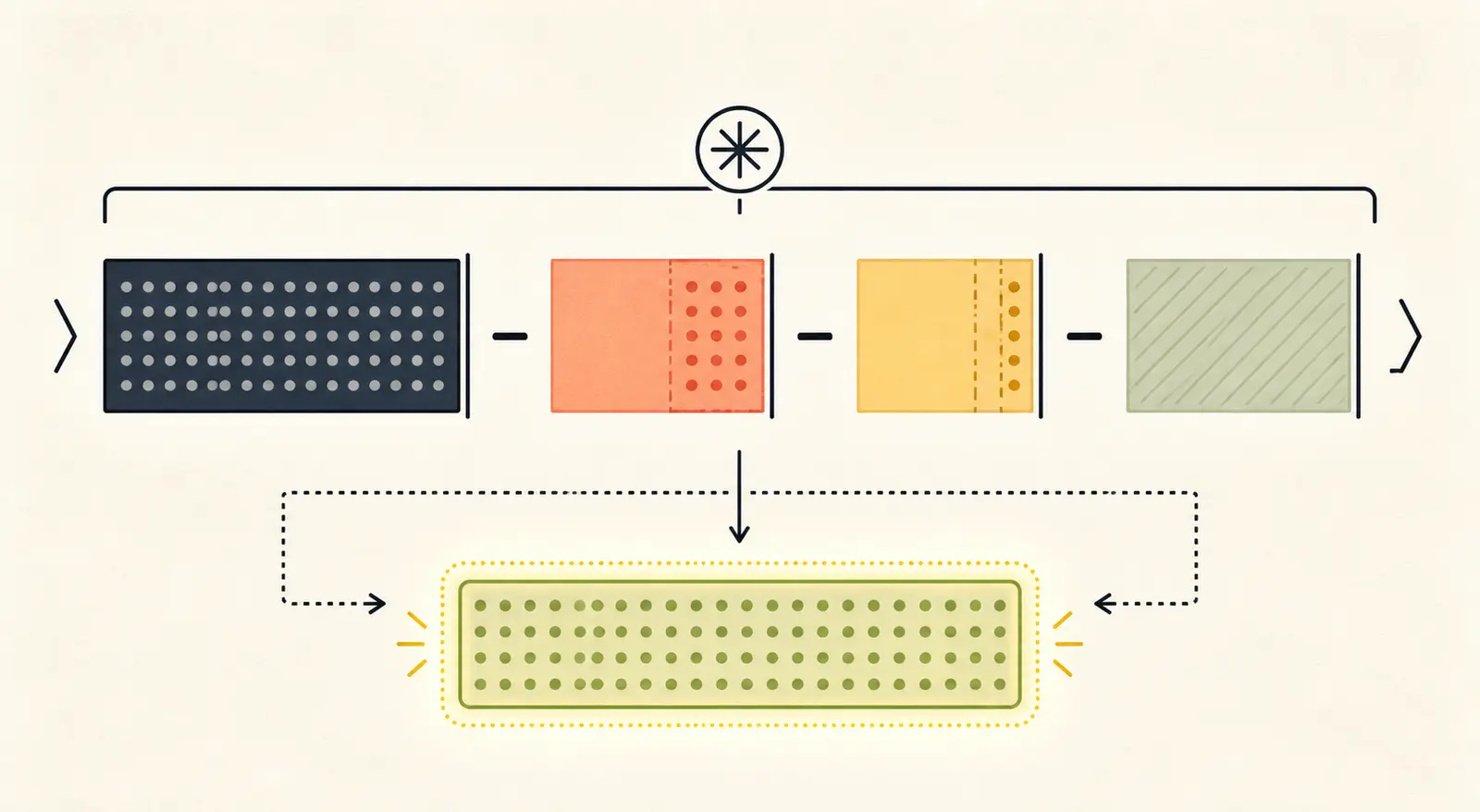
No. Prompt caching can make repeated prefixes cheaper or faster, but it does not automatically make those tokens disappear from the request or improve the model’s ability to navigate an irrelevant history.
Anthropic explicitly separates cached input accounting from context capacity. Its documentation says cached prompt prefixes still occupy the context window, even when caching changes how those tokens are charged. Google’s usage fields similarly expose cached content alongside total input and total tokens (Anthropic context windows, Google token counting).
Use caching when the same large prefix is truly useful across calls and you want to reduce cost or latency. Do not use it as a reason to leave stale tool schemas, old transcripts, or irrelevant policies in the working set.
Here is the distinction:
| Control | Primary benefit | Does it remove material from effective context? |
|---|---|---|
| Prompt caching | Lower repeated processing cost or latency | Not necessarily |
| Tool-result filtering | Smaller, more relevant observations | Yes |
| History trimming | Fewer old messages | Yes |
| Summarization | Replaces many messages with selected facts | Yes, with information loss risk |
| Retrieval | Delays and scopes external data | Yes, if used selectively |
| Compaction | Rewrites prior history into selected state | Yes, with preservation risk |
| Larger model window | More capacity | No, it adds capacity |
If your failure is “the request is too expensive,” caching may help. If your failure is “the agent cannot fit the next tool result,” caching alone is not the fix.
How do you measure what is filling the context?
Measure at the model boundary, immediately before the request is sent. A log that records only the final user message cannot explain context growth.
At minimum, record:
run_id
turn_id
model
context_limit_if_known
reserved_output_limit
system_instruction_tokens
developer_instruction_tokens
tool_definition_tokens
history_tokens
tool_input_tokens
tool_output_tokens
retrieval_tokens
media_tokens
thinking_tokens_if_reported
input_tokens
output_tokens
total_tokens
compaction_or_truncation_event
The exact usage field names depend on the provider. OpenAI’s Agents SDK exposes per-run and per-request usage, including input, output, total, cached, and reasoning details where available. Google exposes prompt, output, thinking, cached, tool-use, and total fields. Anthropic reports request usage and offers a token-counting API for estimating a request before sending it (OpenAI Agents SDK usage, Google token counting, Anthropic context windows).
If the provider does not expose a full breakdown, instrument your renderer. Count the serialized system messages, tool schemas, history items, and tool payloads with the provider’s tokenizer where available. Label estimates as estimates. Do not compare raw token counts from different tokenizers as if they were interchangeable.
Use a growth table, not one total
For five consecutive model calls, record the same fields:
| Turn | Fixed overhead | History | Tool input | Tool output | Retrieval/media | Total input | Largest new bucket |
|---|---|---|---|---|---|---|---|
| 1 | |||||||
| 2 | |||||||
| 3 | |||||||
| 4 | |||||||
| 5 |
Then ask three questions:
- How large is the request before the first user message?
- Which bucket grows after each tool call?
- Which payload is repeated even though the next decision does not need it?
The largest bucket is not always the best first repair. A small tool output repeated thirty times may deserve attention before one large result that is cleared immediately. Look at both size and persistence.
The repair target is the largest persistent bucket, not necessarily the largest single response.
What is a practical context budget?
A model’s advertised context limit is not your usable input budget. You need room for the response that completes the next step, plus a margin for provider behavior and unexpected tool output.
Use this simple planning equation:
usable_input_budget =
  context_limit
  - reserved_output
  - fixed_overhead
  - safety_margin
Suppose the model request limit is 200,000 tokens. Your fixed instructions and tool definitions use 18,000. You reserve 12,000 for the next response, and you hold a 20,000-token safety margin for a large result or a compaction boundary.
200,000 - 12,000 - 18,000 - 20,000 = 150,000
The number is a planning boundary, not a guarantee. Provider-specific output rules, multimodal accounting, thinking behavior, and truncation policy can change what fits. The point is to stop treating the full advertised limit as available for history.
Set a per-turn growth budget too. If the agent has 80,000 tokens available for history and tool payloads, but the workflow can add 25,000 tokens per tool cycle, it has three large cycles before it needs a repair. That is a system-design signal, not a surprise.
Use a worksheet like this:
| Budget line | Your value | Decision |
|---|---|---|
| Context limit | Verify from the selected model or API | |
| Reserved output | Set for the next response, not the whole task | |
| Fixed overhead | Measure the empty request | |
| Safety margin | Leave room for a burst and a recovery action | |
| Usable history and payload budget | Derived from the formula | |
| Expected growth per cycle | Measure with a representative run | |
| Compact or split threshold | Trigger before the hard limit |
If the task needs more information than the budget can hold, that is when a larger context window may be appropriate. If the task fits after removing raw payloads and stale history, buying a larger window treats the symptom and leaves the architecture unchanged.
How should you diagnose the problem with the CONTEXT framework?
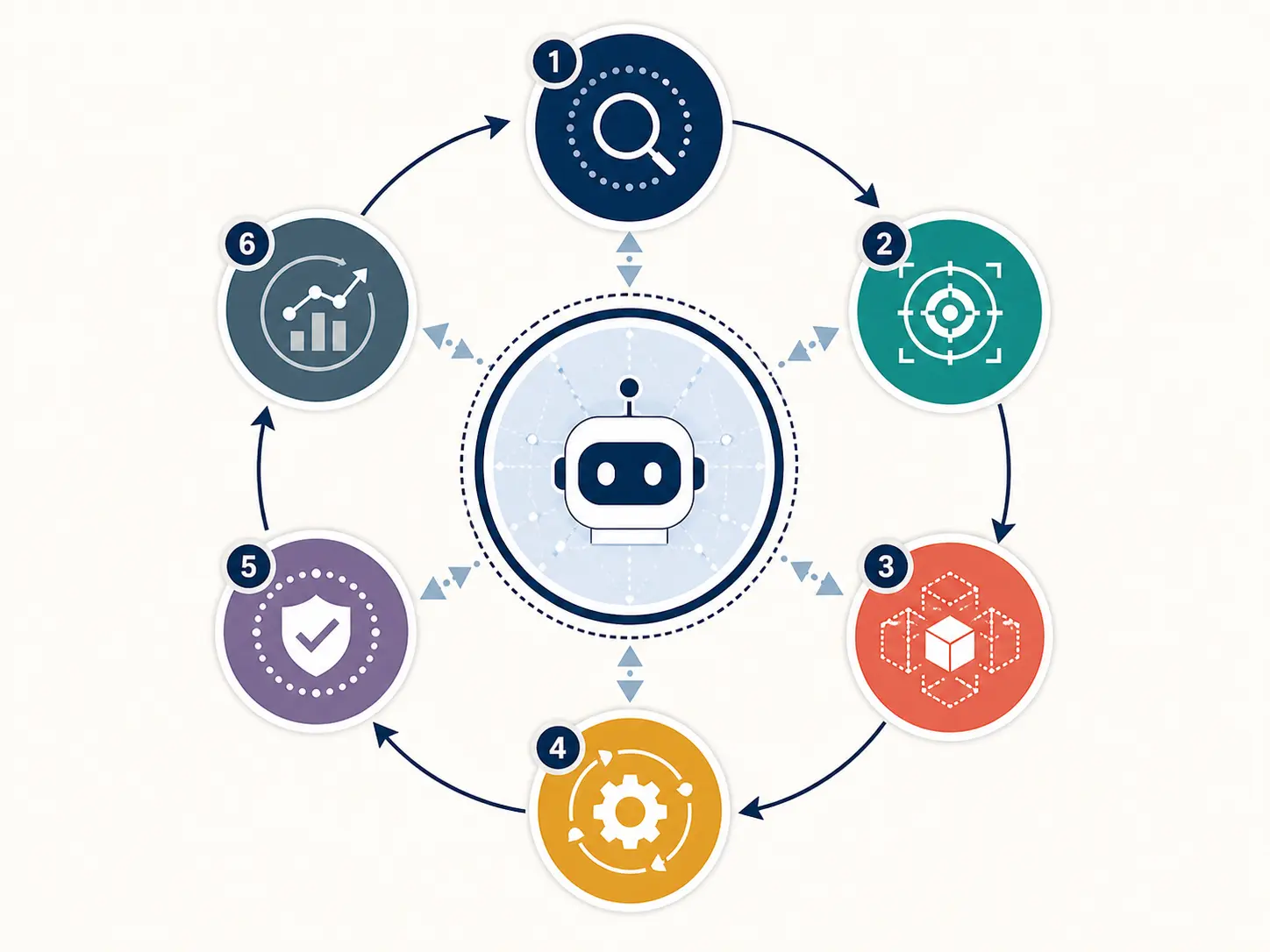
Use CONTEXT in order. It is a triage sequence, not a claim about how providers name their features.
| Letter | Question | Evidence to collect | Typical action |
|---|---|---|---|
| C, Count | What did the model receive on the failing call? | Provider usage and rendered request | Add per-bucket telemetry |
| O, Overhead | What is present before the task starts? | Instructions, schemas, static files | Shorten, scope, defer, or externalize |
| N, Narrative | Which history must remain? | Old messages, plans, repeated answers | Trim or summarize by task value |
| T, Tool payloads | Which arguments and results are large or repeated? | Serialized tool calls and outputs | Filter, cap, paginate, clear, or store externally |
| E, External context | Which fetched data is larger than the next decision? | Retrieval and media usage | Fetch metadata first, then exact slices |
| X, eXit or compact | What happens before the hard limit? | Threshold events and recovery state | Compact, start a new session, or fail explicitly |
C: Count before you change the prompt
Do not start by adding a sentence like “be concise.” That may reduce the next prose response while leaving the actual 40,000-token tool result untouched. First measure.
Build a per-request record and compare a minimal request, a normal request, and a failing request. You want the delta. If the minimal request is already 30,000 tokens, the agent has an overhead issue. If the minimal request is 4,000 and the failing request is 160,000, inspect history and payloads.
O: Separate fixed overhead from task content
Classify every instruction as one of four things:
- always needed for safety or correctness;
- needed for this agent but not every specialist;
- needed only for this task;
- reference material that should be fetched when relevant.
Keep the first class in the stable prompt. Move the second to the relevant agent. Put the third in the task brief. Put the fourth behind retrieval or a tool.
The same classification applies to tools. A tool that belongs to a different business process should not be visible just because the runtime has access to it.
N: Replace history with a task state, not a vague summary
History is valuable when it contains decisions, constraints, corrections, and evidence that cannot be recovered. It is wasteful when it repeats the same plan, quotes raw tool output, or preserves polite acknowledgements.
Summarize into a structured checkpoint:
goal: "Prepare the monthly customer-risk report"
scope:
  tenant_id: "tenant_42"
  period: "2026-07"
confirmed_facts:
  - "The report uses the approved risk taxonomy v3"
decisions:
  - "Use the warehouse as source of truth for current account status"
completed:
  - "Fetched account IDs"
open_work:
  - "Verify five accounts with missing owner records"
evidence:
  - artifact_id: "risk-query-884"
permissions:
  - "Read-only; no customer messages may be sent"
This is a recommendation, not a benchmark. The fields are chosen because they reduce the chance that compaction removes the goal, scope, evidence pointer, or authority boundary.
T: Make tool payloads answer the next decision
Add a result-size limit and an explicit continuation path. If a result is partial, say how many records matched, how many were returned, what fields were included, and how to fetch the rest. If an error is recoverable, return a short error code and the next allowed action rather than a stack trace plus duplicated request payload.
Keep the raw payload in the trace or external artifact. The model does not need the entire body to know that a query returned 418 matches and that it should narrow by date.
E: Treat retrieval as an input event
Log every retrieval with source ID, bytes or tokens, result count, and whether the result remains in the next history. If the retriever returns 30 passages of 1,000 tokens each, you have a 30,000-token event before the model reasons about it. Ask whether the model needs all 30 at once.
X: Decide what happens before the provider decides for you
Set a soft threshold that triggers compaction, history trimming, or a new session before the hard limit. A hard error gives the agent no room to explain, save a checkpoint, or ask for approval.
Some runtimes auto-compact or truncate. That is useful, but inspect the policy. Claude Code says compaction replaces older messages with a summary and warns that specific early instructions may not survive. OpenAI’s Agents SDK provides automatic compaction for stored sessions and also supports manual control (Claude Code agent loop, OpenAI Agents SDK sessions).
Which fix should you apply first?
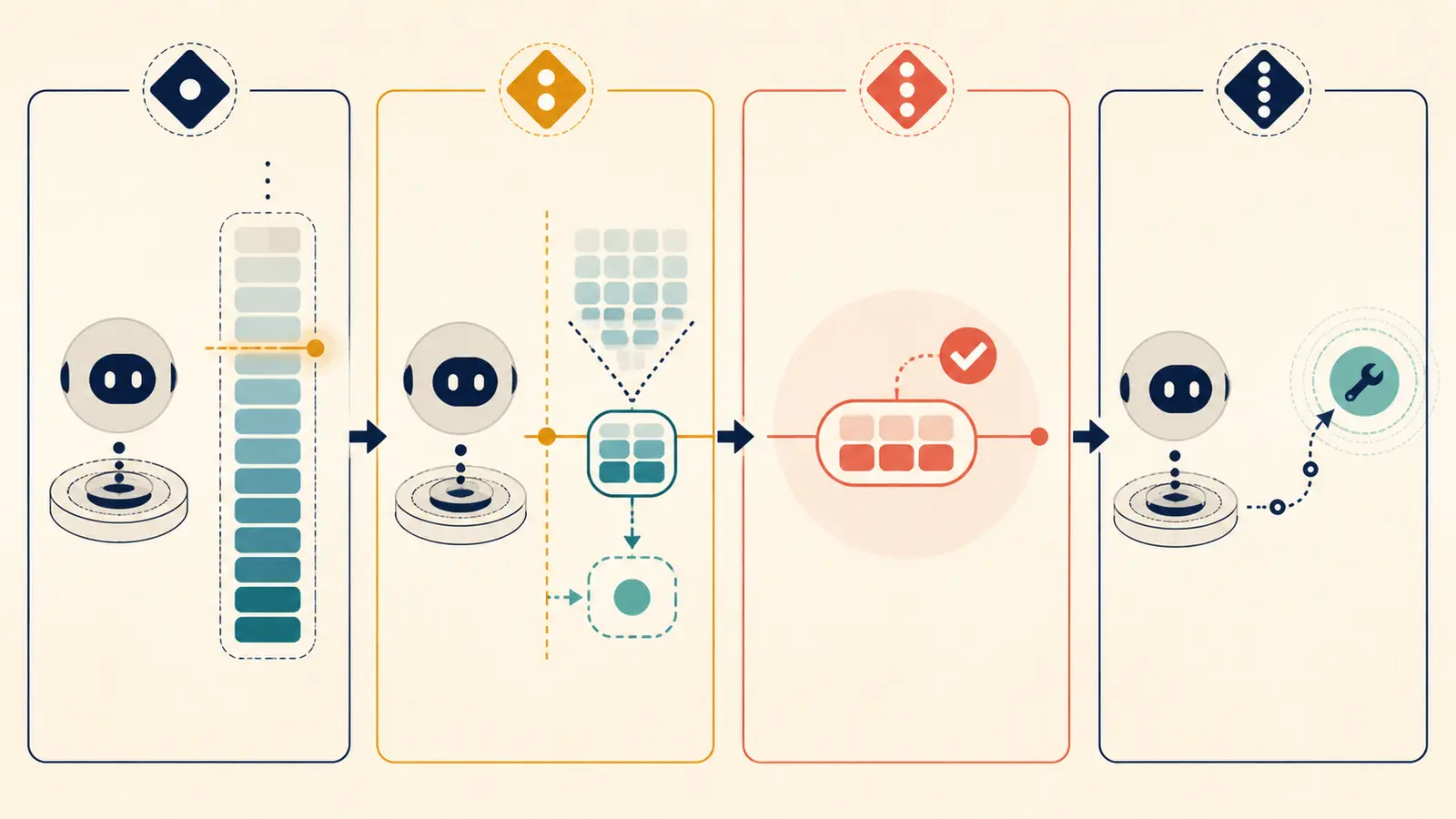
Apply the smallest repair that removes the measured cause while keeping the next decision reliable.
| Symptom | Likely cause | First fix | Do not assume |
|---|---|---|---|
| Context is large on the first call | Instructions or tool definitions | Measure and scope fixed overhead | The user prompt is the problem |
| Growth spikes after one tool | Raw file, log, API, or retrieval result | Filter, paginate, or store externally | A bigger context window is needed |
| Every turn grows by a similar amount | Long history and verbose assistant output | Trim or summarize older turns | Prompt caching frees capacity |
| Agent forgets rules after compaction | Rules lived only in early history | Re-inject durable rules and preserve a checkpoint | Compaction is lossless |
| Agent needs exact evidence later | Summary removed source detail | Keep artifact IDs and targeted fetch tools | A summary should contain everything |
| Agent changes tasks mid-session | One session contains unrelated work | Start a new task session | More history improves continuity |
| Input fits but output fails | Output headroom is too large or output is verbose | Reserve and cap output appropriately | Input limit alone explains the error |
| Cost rises before overflow | Repeated history is reprocessed | Trim, cache stable prefixes, or split sessions | Cost and context capacity are identical |
Make one change at a time when diagnosing. If you shorten the prompt, change retrieval, add compaction, and switch models at once, you will not know which repair changed the behavior.
Should you trim, delete, summarize, or compact history?
These controls are related but not interchangeable.
Trim when recency is enough
Trimming keeps the newest messages or a selected window. It is simple and cheap. Use it when the task is local, the original constraints are already in a durable checkpoint, and older dialogue is unlikely to affect the next action.
The risk is silent loss. The oldest messages may contain the user’s actual acceptance criteria or a permission boundary. Keep a pinned task brief outside the trimmed range and re-inject it on each call.
Delete when the data is re-fetchable
Delete or clear raw tool results when an artifact ID and a fetch path remain. This is the right response to a large log or document that the agent has already used, provided the next step can retrieve exact lines if needed.
Summarize when the meaning matters but the transcript does not
Summarize decisions, confirmed facts, open work, identifiers, permissions, and unresolved questions. Avoid “the agent discussed the issue and made progress.” That sentence cannot resume a task.
LangChain documents trimming, deletion, summarization, and message filtering as standard strategies for long agent histories. Its example uses a token trigger and a bounded message keep-set, but the thresholds are framework choices, not universal numbers (LangChain short-term memory).
Compact when the runtime provides a trusted boundary
Provider-native compaction can preserve important state better than a hand-written string summary because it is integrated with the runtime’s conversation representation. It is still not magic. You need a preservation policy and a recovery test for the facts your task cannot lose.
The OpenAI Agents SDK has OpenAIResponsesCompactionSession, which wraps a session and can compact stored history after a threshold. Anthropic documents server-side compaction and context editing for long conversations (OpenAI Agents SDK sessions, Anthropic context windows).
Use compaction as a controlled transition, not as an excuse to let raw payloads grow without bounds.
How do you externalize state without making the agent forget?
Externalization works when the model has a compact index of what exists and a reliable way to fetch the exact item it needs. It fails when you put data in a database and give the agent no useful lookup interface.
The external state pattern has four pieces:
- Artifact: store the raw file, response, result set, or trace outside context.
- Index: expose an ID, type, scope, timestamp, source, and short summary.
- Fetch tool: allow narrow reads by ID, fields, ranges, or filters.
- Lifecycle: expire, delete, or archive artifacts according to the data’s sensitivity and usefulness.
OpenAI recommends staging large resources in a container or querying structured data in a database instead of copying entire inputs into prompt context. The useful principle is not tied to containers: keep the working prompt small and make the larger corpus addressable (OpenAI agent environment).
An externalized result should not become an unbounded memory dump. Apply the same access rules, tenant scope, retention policy, and validation you would apply to any tool. If the agent can fetch an artifact from another user or project, the context problem has become a data-isolation problem.
This is also where the distinction between context and memory pays off. The raw evidence can remain available for audit or re-fetch without being present in every model call. The current request receives the smallest verified slice.

How should a tool result be designed for context efficiency?
A context-efficient tool result answers four questions:
- What happened?
- What evidence supports that status?
- What was omitted?
- What may the agent do next?
Use a stable envelope:
{
  "status": "ok | partial | needs_input | error",
  "summary": "One sentence about the result",
  "facts": [{"name": "open_count", "value": 12}],
  "evidence": [{"artifact_id": "log-51", "location": "lines 80-104"}],
  "omitted": {"reason": "bounded_output", "available_via": "read_artifact"},
  "next": [{"action": "read_artifact", "when": "exact evidence is needed"}]
}
Do not force every tool into this exact schema. The point is to make the payload intentional. A read-only lookup may return rows. A write tool should return a postcondition and an ID. A search tool should return candidate metadata. A shell tool should return exit status, bounded output, and an artifact pointer for the full log.
Keep status values narrow. “Done” is not enough if the tool ran but the business effect was not verified. The AI agent observability guide explains how to keep trace, action, safety, and outcome signals visible. Context efficiency should reduce the model-visible payload without deleting the operational evidence.
How do model handoffs affect context growth?
A handoff can either reduce context or duplicate it. If the receiving agent inherits the entire parent transcript, you have moved the problem. If it receives a small, scoped brief and returns a bounded artifact, the handoff becomes a context boundary.
Use a handoff contract with:
- task goal;
- allowed scope and permissions;
- relevant identifiers;
- confirmed facts;
- evidence pointers;
- constraints and acceptance criteria;
- unresolved questions;
- expected output shape.
Do not pass “all context just in case.” The receiving agent can ask for a specific artifact or fetch the next slice. The multi-agent handoff design guide covers the broader contract. For this query, the practical test is whether the handoff request is materially smaller than the parent history and whether the receiving agent can continue without missing a safety boundary.
Subagents are useful for the same reason. Claude Code’s documentation says a subagent starts with a fresh conversation and returns its final response to the parent, so the parent receives the summary rather than the full subtask transcript (Claude Code agent loop). This is a context boundary, not a guarantee of quality. The parent still needs enough result detail to make the next decision.
When does a larger context window make sense?
A larger window makes sense when the task genuinely requires more simultaneous, relevant information after you have removed avoidable duplication. Examples include comparing many interdependent documents, analyzing long source material, or processing a large multimodal input that cannot be safely partitioned.
It is a poor first fix when:
- the same raw tool result is carried through every turn;
- the agent has dozens of irrelevant tool definitions;
- history contains unrelated tasks;
- retrieval returns whole documents for narrow questions;
- the prompt repeats the same policy three times;
- the output allowance leaves too little room for input;
- the application has no token telemetry.
Large windows also do not guarantee better recall or accuracy. Anthropic’s context documentation warns that more context is not automatically better and describes degradation as token count grows. That is a quality reason to curate context even when the request technically fits (Anthropic context windows).
Choose capacity after measuring the workload:
| Measurement | If it is high | Better first question |
|---|---|---|
| Fixed overhead | Tool catalog or policies dominate | What can be scoped or deferred? |
| Per-cycle growth | Tool result dominates | What can be filtered, paginated, or externalized? |
| Persistent history | Old messages dominate | What must be preserved and what can be summarized? |
| Retrieval burst | One fetch dominates | Can the agent retrieve metadata before full content? |
| Required simultaneous evidence | All slices are relevant | Is a larger window or a staged workflow justified? |
The order matters. Capacity should pay for necessary information, not for information the runtime never needed to send.
What should you test before trusting compaction?
Compaction is a transformation of state. Test what must survive it.
Create a representative task with explicit checks:
- State the goal and acceptance criteria.
- Add a permission boundary that must not be lost.
- Add a source-of-truth identifier and a current value that must be re-fetched.
- Include one unresolved question and one completed step.
- Generate enough tool activity to cross the compaction threshold.
- Resume after compaction and ask the agent to state the goal, constraints, open work, evidence pointers, and next safe action.
- Verify the response against deterministic assertions and human review.
Do not test only whether the agent can produce fluent text after compaction. Test whether it preserves the right state and forgets the right payloads.
Record the provider, model or endpoint, SDK version, compaction setting, threshold, tool set, test prompt, tool fixtures, expected facts, and observed omissions. This is a test plan recommendation, not a test result from Marius Manolachi.
The AI agent evaluation release gate can hold these cases alongside tool, outcome, policy, and reliability checks. Context management belongs in release evaluation because a system that works at ten turns but loses authorization at the compaction boundary is not ready for the same scope.
What should you avoid when trying to reduce context usage?
Avoid these tempting repairs:
“Just tell the model to be concise”
This can reduce prose, but it does not cap a tool result, remove old messages, narrow retrieval, or reduce tool definitions. It is a possible small optimization, not a context strategy.
“Send the whole database once so the model understands it”
The model may understand less after a huge dump. Query the fields and rows needed for the next choice, and keep the full dataset outside the prompt.
“Summarize everything every turn”
This adds a summarization call and can erase exact evidence, identifiers, or permissions. Summarize at a boundary, preserve a structured checkpoint, and keep raw artifacts addressable.
“Use a vector database for everything”
Retrieval helps only if the retrieved slice is relevant, scoped, and small enough. A vector index does not guarantee good filtering, current facts, or permission isolation.
“Increase the context limit until the error disappears”
The system may become more expensive and slower while still carrying irrelevant material. Measure first.
“Trust automatic truncation”
Truncation can drop the exact message that contained the original acceptance criteria or a safety constraint. Put durable rules in a stable instruction path and preserve a checkpoint.
“Cache the whole prompt”
Caching can help cost and latency. It does not turn stale context into relevant context or eliminate the effective size of the cached prefix.
Can you apply a 30-minute context repair checklist?
Yes. Use this sequence on one failing run.
Minutes 0-5: capture the boundary
- Record the model or endpoint and its documented context limit.
- Capture input, output, and total usage fields.
- Save the rendered request shape without exposing secrets.
- Record whether the runtime compacted, truncated, or failed.
Minutes 5-10: split the payload
- Count instructions and tool definitions.
- Count conversation history before the current turn.
- Count tool inputs and outputs separately.
- Count retrieval and media payloads.
- Record reserved output headroom.
Minutes 10-15: identify persistence
- Mark each large item as fixed, repeated, or one-time.
- Find the largest item still present after the next model call.
- Check whether the same JSON, file content, plan, or search page appears more than once.
Minutes 15-20: apply the narrow repair
- Scope tools.
- Bound or filter the largest tool result.
- Replace old raw results with artifact IDs.
- Trim unrelated history.
- Fetch only the selected retrieval slice.
Minutes 20-25: install a boundary
- Set a soft threshold below the hard limit.
- Define the compaction or new-session trigger.
- Write a structured checkpoint with goal, scope, decisions, open work, evidence, and permissions.
Minutes 25-30: test recovery
- Replay the task with the repair.
- Force or wait for the boundary event.
- Check that the agent preserves the goal and safety rules.
- Check that it can fetch exact evidence when needed.
- Compare input-token growth, latency, cost, and outcome.
Do not call the repair successful because the error disappeared. A system can avoid overflow by truncating the user’s requirements. Success means the agent stays within budget and still completes the intended task safely.
A context repair is complete only when lower token growth does not buy a worse decision.
What implementation artifact should you add to the runtime?
Add a context budget object and enforce it at the request boundary. The following pseudocode is intentionally provider-neutral:
class ContextBudget:
    def __init__(self, limit, reserved_output, fixed_overhead, safety_margin):
        self.limit = limit
        self.reserved_output = reserved_output
        self.fixed_overhead = fixed_overhead
        self.safety_margin = safety_margin

    @property
    def usable_input(self):
        return self.limit - self.reserved_output - self.fixed_overhead - self.safety_margin

def prepare_next_request(state, budget, tokenizer):
    payload = render_request(
        instructions=state.durable_instructions,
        tools=state.scoped_tools,
        checkpoint=state.checkpoint,
        recent_turns=state.recent_turns,
        selected_evidence=state.selected_evidence,
    )
    estimated = tokenizer.count(payload)

    if estimated <= budget.usable_input:
        return payload

    state.selected_evidence = filter_to_next_decision(state.selected_evidence)
    state.recent_turns = summarize_or_trim(state.recent_turns, state.checkpoint)
    payload = render_request(
        instructions=state.durable_instructions,
        tools=state.scoped_tools,
        checkpoint=state.checkpoint,
        recent_turns=state.recent_turns,
        selected_evidence=state.selected_evidence,
    )

    if tokenizer.count(payload) > budget.usable_input:
        persist_checkpoint(state)
        raise ContextBoundary("Start a new task session or request a narrower scope")

    return payload
The important parts are the order and the explicit stop. Filter evidence and history before the provider rejects the request. Preserve the checkpoint outside the hot context. Fail with a useful boundary message when the task cannot fit, rather than silently dropping requirements.
In production, add a redacted trace of the bucket sizes, the policy that removed content, and the artifact IDs that remain fetchable. Do not log secrets or personal data just to improve observability.
How should an AI agent context window be monitored in production?
Monitor context as a resource with failure modes, not just as a cost number.
Track these signals by model, workflow, tenant, and tool:
- input tokens per model call;
- output tokens and reserved output;
- percentage of usable budget consumed;
- fixed overhead by agent version;
- history growth per turn;
- tool input and output size by tool name;
- retrieval and media size;
- compaction, truncation, and boundary events;
- context-related errors;
- task completion after a compaction or split;
- latency and cost per completed task.
OpenAI’s Agents SDK reports request-level usage entries, which can support this kind of breakdown. Google’s usage metadata similarly separates prompt, output, thinking, cached, tool-use, and total counts. Provider fields will change, so keep an adapter that maps them into your own stable telemetry shape (OpenAI Agents SDK usage, Google token counting).
Alert on behavior that predicts failure:
- fixed overhead jumps after a tool or prompt release;
- one tool exceeds its output budget;
- repeated turns add the same result;
- compaction occurs earlier than expected;
- truncation removes task-critical state;
- context usage rises while task success falls;
- a new model or SDK changes usage field semantics.
Use the AI agent observability contract for the broader run record. This article’s narrower requirement is that every run should let you answer “which bucket grew, by how much, and what did the system do before the limit?”

Does context growth explain an agent becoming less reliable?
It can, but do not claim a universal quality threshold. As context grows, relevant information competes with stale or repeated information. The provider documentation supports the narrower statement that more context is not automatically better and that long sessions require curation. The exact quality curve depends on the model, task, prompt, retrieval, and evaluation design (Anthropic context windows).
You may observe three distinct failure modes:
- Capacity failure: the request is rejected, truncated, or stops at the limit.
- Selection failure: the right evidence is present but buried among irrelevant material.
- State failure: compaction or trimming removes a constraint, identifier, or pending step.
They require different fixes. Capacity failure calls for less input, more capacity, or a boundary. Selection failure calls for better retrieval and tool results. State failure calls for structured checkpoints, durable instructions, and recovery tests.
Do not describe a longer context as “more memory.” A model may have access to more tokens while making worse use of them. The goal is not maximum occupancy. It is a small, sufficient, current, and inspectable working set.
What is the final decision rule?
Use the smallest context that proves the next action is safe and useful. Keep durable rules stable. Keep current facts in their source system. Keep raw evidence outside the hot prompt and make it fetchable. Keep history only when it carries a decision, constraint, correction, or unresolved dependency. Measure before and after every repair.
If a context window fills quickly, diagnose in this order:
- Count the rendered request.
- Remove fixed overhead that does not belong to the task.
- Replace raw history with a structured checkpoint.
- Bound and externalize tool results.
- Retrieve smaller evidence slices.
- Reserve output headroom.
- Compact or split the task before the hard limit.
- Increase the model’s capacity only if the measured workload still needs it.
Marius Manolachi’s practical recommendation is simple: treat context as a budgeted runtime resource. Once every bucket has an owner, the problem stops looking mysterious. You can see whether the agent is carrying too much policy, too much transcript, too much raw data, or too many unrelated tools, then repair that layer without guessing.
Continue with a related field note
Questions people ask next
Does a bigger context window solve the problem?
It can delay overflow, but it does not remove repeated history, oversized tool results, or irrelevant retrieval. Measure and curate the request first. A larger window is useful when the task genuinely needs more information after you have removed data the model can fetch or recompute.
Do tool definitions count toward an AI agent context window?
Yes, when the provider sends them as part of the model request. Large tool catalogs and verbose schemas create fixed overhead before the agent starts. Scope tools to the task, defer definitions where the platform supports it, and shorten descriptions without removing safety boundaries.
Should I summarize the entire agent conversation?
Not automatically. Summarize facts the next step needs, preserve decisions and constraints, and keep raw evidence outside the prompt for targeted retrieval. A summary that loses identifiers, permissions, pending work, or failure conditions can make the agent cheaper but less reliable.
Does prompt caching reduce context-window usage?
Caching can reduce cost or latency for repeated prefixes, but cached material can still occupy the effective context. Treat caching as a billing and speed optimization, not as permission to keep every instruction, schema, and transcript in the request.
How can I tell what is filling my agent context?
Log the rendered request or provider usage fields for every model call. Break the count into fixed instructions, tool definitions, user and assistant history, tool inputs, tool outputs, retrieved content, media, generated output, and reserved output headroom. Compare the largest bucket with per-turn growth.
When should I start a new agent session?
Start a new session when the task changes, the old history is no longer needed, or compaction would preserve less than a small task brief. Carry a structured checkpoint with the goal, confirmed facts, decisions, open work, identifiers, permissions, and links to raw evidence.